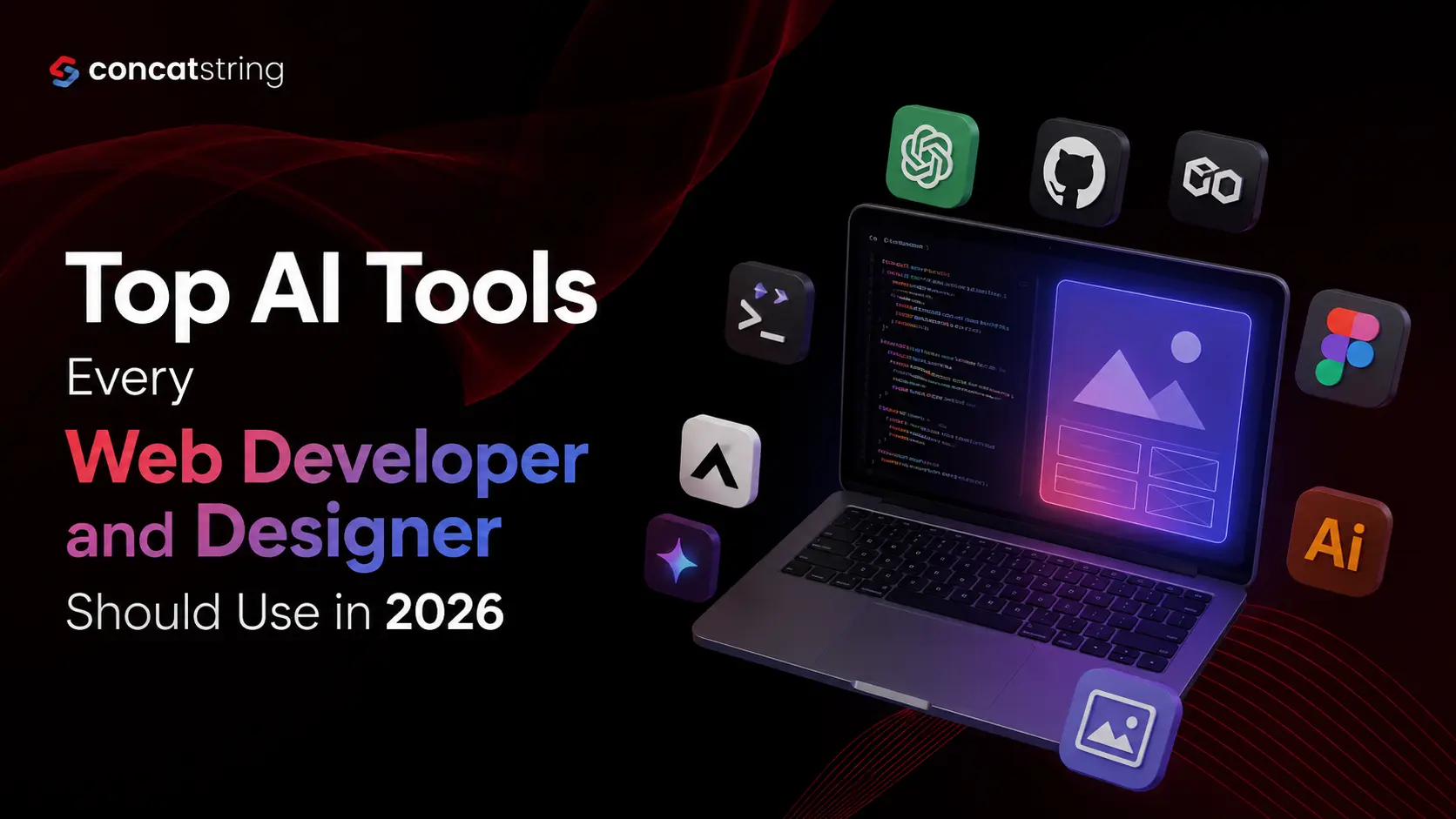
AI has moved from an experimental technology to a practical part of everyday web development and design. In 2026, Stack Overflow reports that 58% of developers use AI at work every day, while 80% now use AI tools in their workflows. Yet adoption does not mean developers can stop thinking critically: only 29% of developers in the 2025 survey said they trusted AI output. For web developers and designers, the opportunity is clear,use AI to accelerate research, coding, prototyping, testing, content creation, and iteration while keeping human judgment at the center. This guide explores the top AI tools worth adding to a modern web workflow in 2026.
Table of Contents
Use AI to summarize this article
AI Is Changing How Websites Are Designed and Built
The biggest change in web development is not simply that AI can write code. It is that AI is becoming part of the complete product workflow.
A developer can use an AI coding agent to understand an unfamiliar repository, plan a feature, modify several files, run tests, and prepare a pull request. A designer can use AI to explore layouts, generate content, organize design files, create prototypes, and move from a design concept toward working code.
That shift matters because traditional web projects often involve many disconnected stages: research, wireframing, UI design, development, debugging, testing, documentation, and optimization. AI can reduce the friction between those stages.
The latest developer research shows just how quickly this workflow is evolving. Stack Overflow's 2026 research found that 58% of developers use AI tools at work every day, up from 47% in its 2025 survey. At the same time, developers remain cautious about accuracy and still rely heavily on human expertise.
The lesson for web professionals is straightforward: the best AI tool is not necessarily the one that generates the most code or images. It is the one that removes repetitive work while allowing developers and designers to make better decisions.
1. ChatGPT: The General-Purpose AI Assistant for Web Projects
ChatGPT remains one of the most versatile AI assistants for web developers and designers because it can support almost every stage of a project.
For developers, it can help explain unfamiliar code, generate functions, troubleshoot errors, write test cases, create documentation, suggest database structures, and reason through implementation approaches. Instead of asking it to "build the whole website," experienced developers can use it as a technical thinking partner.
For designers, ChatGPT can help with user personas, information architecture, UX copy, design briefs, accessibility considerations, landing-page messaging, content hierarchy, and usability questions.
Its biggest advantage is flexibility. A developer can move from a JavaScript debugging question to an API design discussion, while a designer can move from a homepage content structure to a usability checklist in the same workflow.
The important part is how you use it. Give the tool context about the project, constraints, existing architecture, target audience, and desired outcome. The quality of AI assistance improves significantly when the prompt contains the information a human colleague would need.
For production work, treat generated output as a starting point rather than unquestionable truth. Stack Overflow's latest research highlights the growing gap between AI adoption and AI trust, making verification an essential part of an AI-assisted workflow.
2. GitHub Copilot: AI Assistance Inside the Development Workflow
GitHub Copilot has evolved far beyond basic autocomplete.
In 2026, Copilot can support agent-based development, repository research, implementation planning, coding tasks, and code review. GitHub's documentation describes Copilot agents that can research a repository, create an implementation plan, make iterative changes on a branch, and create a pull request.
That makes Copilot particularly useful for teams working on established codebases.
Imagine a developer receiving an issue such as "Improve the checkout form validation." Instead of manually opening every related file, the developer can ask Copilot to investigate the existing implementation, identify relevant components, propose a plan, and make the necessary changes. The developer can then review and refine the result.
Copilot also supports AI-assisted pull-request reviews. It can identify potential problems and suggest changes, while its newer agentic capabilities can gather broader repository context.
However, GitHub explicitly recommends treating Copilot output like any other contribution and reviewing it carefully before merging.
For professional development teams, that human review step is critical.
3. Claude Code: An AI Agent for Complex Development Tasks
Claude Code by Anthropic is designed for developers who want an AI agent to work with an actual codebase rather than simply answer isolated coding questions.
Claude Code can read a project, understand relationships between files, make changes, run tests, and work through multi-step development tasks. Anthropic describes it as an agentic coding system capable of making changes across files and delivering committed code.
This makes it particularly useful for refactoring, debugging, migration work, test creation, and feature implementation.
The practical advantage is context. Web applications rarely consist of one standalone file. A change to a React component might affect styles, API calls, state management, tests, and routing. An agent that can reason across a codebase can therefore be more useful than an assistant that only sees the code pasted into a chat window.
Developers should still establish clear boundaries. Give an AI agent a defined task, review the plan, inspect important changes, run tests, and avoid automatically approving changes to sensitive systems.
4. Cursor: An AI-First Code Editor
Cursor is another strong option for developers who want AI deeply integrated into the coding environment.
Instead of constantly switching between a browser-based AI assistant and the editor, Cursor puts AI interaction directly alongside the codebase. This makes it useful for asking questions about existing code, generating changes, debugging problems, and working across multiple files.
For frontend developers, this can be especially valuable when working with component-heavy projects. A developer can ask the assistant to understand a component hierarchy, modify a reusable UI element, update related styles, or refactor repeated patterns.
The biggest productivity gain comes from reducing context switching. Developers can think about a problem, describe the desired outcome, inspect the proposed changes, and continue working without leaving the development environment.
Cursor is most valuable when used as an accelerator for experienced developers rather than as a substitute for understanding the underlying application.
5. Gemini Code Assist: AI Pair Programming in the IDE
Google's Gemini Code Assist brings AI-assisted development directly into supported IDEs, including VS Code and JetBrains environments. Its capabilities include code generation, inline suggestions, code questions, and agent-based workflows.
Its agent mode is particularly relevant in 2026. Developers can give Gemini multi-step tasks, provide access to contextual information, configure MCP servers, and generate code from design documents, issues, or TODO comments.
For web developers, this can be useful when translating requirements into implementation work.
For example, a developer might provide an issue describing a new dashboard feature. Instead of asking for individual snippets, the developer can ask the agent to understand the project, create the relevant components, connect the required logic, and explain the implementation.
Because agent mode can interact with tools and the local development environment, Google's documentation also warns users to be careful with permissions and automatic approvals.
That is a good principle for every AI coding agent: more capability requires more deliberate oversight.
6. Figma AI: A Must-Have for Modern UI/UX Designers
Figma AI is one of the most important AI platforms for designers because AI is being integrated directly into the design workflow.
Figma's AI features can help designers search for assets, generate or replace content, rename layers, create interactions, and prototype ideas. Figma Make extends this workflow by allowing users to turn prompts and designs into functional prototypes and web experiences.
In 2026, Figma is also moving further toward agentic workflows. Its Figma agent can help generate and remix designs, automate repetitive tasks, and provide design feedback. Figma also supports an MCP server that allows external AI tools to access design context and connect it with development workflows.
This is significant because the traditional handoff between designer and developer has often been inefficient.
Instead of treating design and development as two completely separate stages, teams can increasingly connect the two. Designers can explore ideas faster, while developers can receive richer design context.
The best use of Figma AI is not to remove the designer from the process. It is to give designers more time for hierarchy, interaction design, brand decisions, accessibility, and user experience.
7. v0: Rapidly Turn Ideas Into Web Interfaces
v0 by Vercel is particularly useful when the goal is to move quickly from a product idea to a functional web interface.
AI interface-generation tools can be valuable during the early stages of a project because developers and designers often need to test several directions before committing to a final design.
Instead of spending hours manually creating an initial dashboard, landing page, pricing page, or application interface, a team can use an AI-generated version as a starting point.
The important distinction is between prototype speed and production quality.
A generated interface may provide a strong starting structure, but professional teams still need to review responsive behavior, accessibility, performance, component architecture, SEO, security, content quality, and maintainability before shipping.
Used correctly, tools such as v0 can shorten the distance between an idea and something people can actually interact with.
8. Lovable: From Natural-Language Ideas to Web Apps
Lovable takes the AI app-building concept further by allowing users to describe applications and websites conversationally.
Its current workflow is designed around describing the product, audience, pages, data, and integrations before refining the resulting application through additional prompts. Lovable says its platform can generate frontend and backend foundations, authentication, databases, and integrations.
For designers and developers, the value is speed during experimentation.
A product team could use an AI app builder to test a booking flow, internal dashboard, SaaS concept, or ecommerce idea before investing heavily in traditional development.
This does not mean every production application should be generated entirely through prompts. Complex applications still require architectural decisions, security reviews, testing, performance optimization, accessibility work, and experienced engineering.
The strongest use case is rapid validation: build something tangible, learn from it, and then decide what deserves deeper engineering investment.
9. Adobe Firefly: AI for Visual Assets and Creative Exploration
Adobe Firefly is worth considering when web design involves frequent visual asset creation.
Design teams often need concept images, variations, background treatments, visual experiments, marketing graphics, and other assets before a final direction is approved. Generative AI can accelerate that exploration.
The practical benefit is not simply generating finished images. It is the ability to explore multiple creative directions quickly.
For example, a designer creating a SaaS landing page might need several visual concepts for a hero section. Instead of sourcing every image manually before knowing whether the concept works, AI can help generate initial directions that the designer can evaluate.
The designer remains responsible for brand consistency, licensing considerations, visual quality, and the final creative decision.
10. Canva Magic Studio: Fast Content Production for Web Teams
Canva Magic Studio is especially useful for marketers, content teams, startup founders, and designers who need to create web-related visual content quickly.
Canva's Magic Studio brings AI capabilities into a broader visual creation workflow, helping users generate and adapt content without having to move between numerous specialized applications. Canva describes Magic Studio as an integrated set of AI-powered features designed to help users create and scale visual content.
For web teams, this can be useful for social graphics, blog visuals, presentation assets, promotional banners, thumbnails, and early creative concepts.
It is particularly valuable when the person creating the content is not a specialist visual designer but still needs professional-looking assets.
The key is to establish brand guidelines first. AI can accelerate production, but consistent typography, colors, imagery, spacing, and messaging still need human direction.
How Should Web Developers and Designers Choose AI Tools?
The biggest mistake is trying to use every AI tool simply because it is popular.
A better approach is to map tools to specific bottlenecks in your workflow.
If coding takes too long, start with an AI coding assistant or agent. If design exploration is slow, use Figma AI. If prototyping takes too much time, consider tools such as v0 or Lovable. If visual production is the bottleneck, Firefly or Canva may deliver more immediate value.
A useful workflow might look like this:
Research → AI-assisted planning → Figma design → AI prototype → AI-assisted development → Testing → Human review → Launch
The tools should support this process rather than dictate it.
Teams should also consider privacy, data handling, integration with existing systems, cost, model quality, permission controls, and how much human review is required.
Why Human Expertise Still Matters in an AI-First Workflow
AI makes web development and design faster, but speed is not the same as quality.
A generated component can look correct while creating accessibility problems. A generated function can work for one scenario while failing on edge cases. A beautiful AI-generated visual can conflict with a brand's identity. A technically valid website can still provide a poor user experience.
The latest developer research reinforces this point. Although AI adoption is increasing, developer trust remains limited. Stack Overflow reported that only 29% of developers trusted AI output in its 2025 survey, while 66% said they were spending more time dealing with AI-generated code that was "almost right."
That is why experienced professionals should use AI for acceleration, not blind automation.
The human should remain responsible for architecture, security, accessibility, product decisions, brand direction, user experience, and final quality.
Best Practices for Using AI in Web Development and Design
Give AI enough context
Weak prompts usually produce generic results. Tell the tool what technology you are using, what already exists, what constraints matter, and what outcome you need.
"Build a responsive navigation menu" is vague.
"Create a responsive React navigation component for an existing Next.js ecommerce site, preserve the current design tokens, support keyboard navigation, and avoid changing the existing routing structure" gives the AI a much clearer target.
Break large projects into smaller tasks
Do not expect an AI agent to reliably build an entire complex product from one prompt.
Break work into meaningful stages. Ask the AI to analyze the repository first, then propose an implementation plan, then make changes, then test them.
This gives you more opportunities to identify mistakes before they spread across the project.
Verify everything that reaches production
AI-generated code should go through the same review process as human-written code.
Run automated tests. Check accessibility. Review security-sensitive changes. Test mobile layouts. Inspect performance. Verify API behavior. Read the actual code.
The faster AI makes development, the more important this verification process becomes.
Build reusable AI workflows
The real productivity gains come when teams stop treating AI as an occasional chatbot and start integrating it into repeatable workflows.
A development team can create project instructions, coding standards, review rules, reusable prompts, and agent skills. A design team can establish reusable components, design tokens, content guidelines, and brand references.
The goal is consistency,not simply more AI-generated output.
What Is the Best AI Tool for Web Developers and Designers in 2026?
There is no single best AI tool for everyone.
For general problem-solving, ChatGPT is a strong all-purpose assistant. For repository-aware coding, GitHub Copilot, Claude Code, and Cursor are powerful options. Gemini Code Assist is particularly useful for developers working within Google's ecosystem and supported IDE workflows. For UI and UX, Figma AI is one of the most relevant tools because it connects AI directly to the design process.
For rapid web and application prototyping, v0 and Lovable can help teams move from an idea to an interactive product quickly. For visual asset creation, Adobe Firefly and Canva Magic Studio can reduce repetitive creative work.
The best tool is ultimately the one that solves your biggest workflow bottleneck without compromising quality, security, or maintainability.
The Future of AI-Assisted Web Development
The direction of the industry is becoming increasingly clear: AI is moving from autocomplete toward agents that can understand context, use tools, execute multi-step tasks, and collaborate with humans.
That does not mean developers and designers are becoming unnecessary. It means their responsibilities are shifting toward higher-value work.
Developers will spend more time defining architecture, reviewing generated changes, managing systems, and solving complex product problems. Designers will spend more time on user behavior, design systems, brand expression, accessibility, and product strategy.
Figma's current direction is a good example of this convergence. Its AI ecosystem now spans design exploration, prototyping, code-related workflows, and MCP-based connections between design and development tools.
The teams that benefit most from AI will not necessarily be the teams using the largest number of tools. They will be the teams that create the smartest workflow around a focused set of tools.
Conclusion
AI has become a practical part of modern web development and design, but the winning strategy in 2026 is not to automate everything. It is to automate the repetitive parts of the workflow while keeping experienced people responsible for decisions that require context, judgment, creativity, and accountability.
Tools such as ChatGPT, GitHub Copilot, Claude Code, Cursor, Gemini Code Assist, Figma AI, v0, Lovable, Adobe Firefly, and Canva Magic Studio can dramatically reduce the time required to research, design, prototype, code, and iterate.
For web professionals, the next competitive advantage will come from knowing where AI should be used, where it should be reviewed, and where human expertise should remain in control.
Build Smarter Digital Experiences with Concatstring
If your business needs a modern website or digital product that combines thoughtful design, reliable development, and intelligent technology, Concatstring can help turn ideas into scalable digital experiences. The right AI tools can accelerate the process, but strong strategy, UX, engineering, and execution are what turn that speed into measurable business value.
FAQs