WordPress Headless CMS in 2026: When Should Businesses Move Beyond Traditional WordPress?

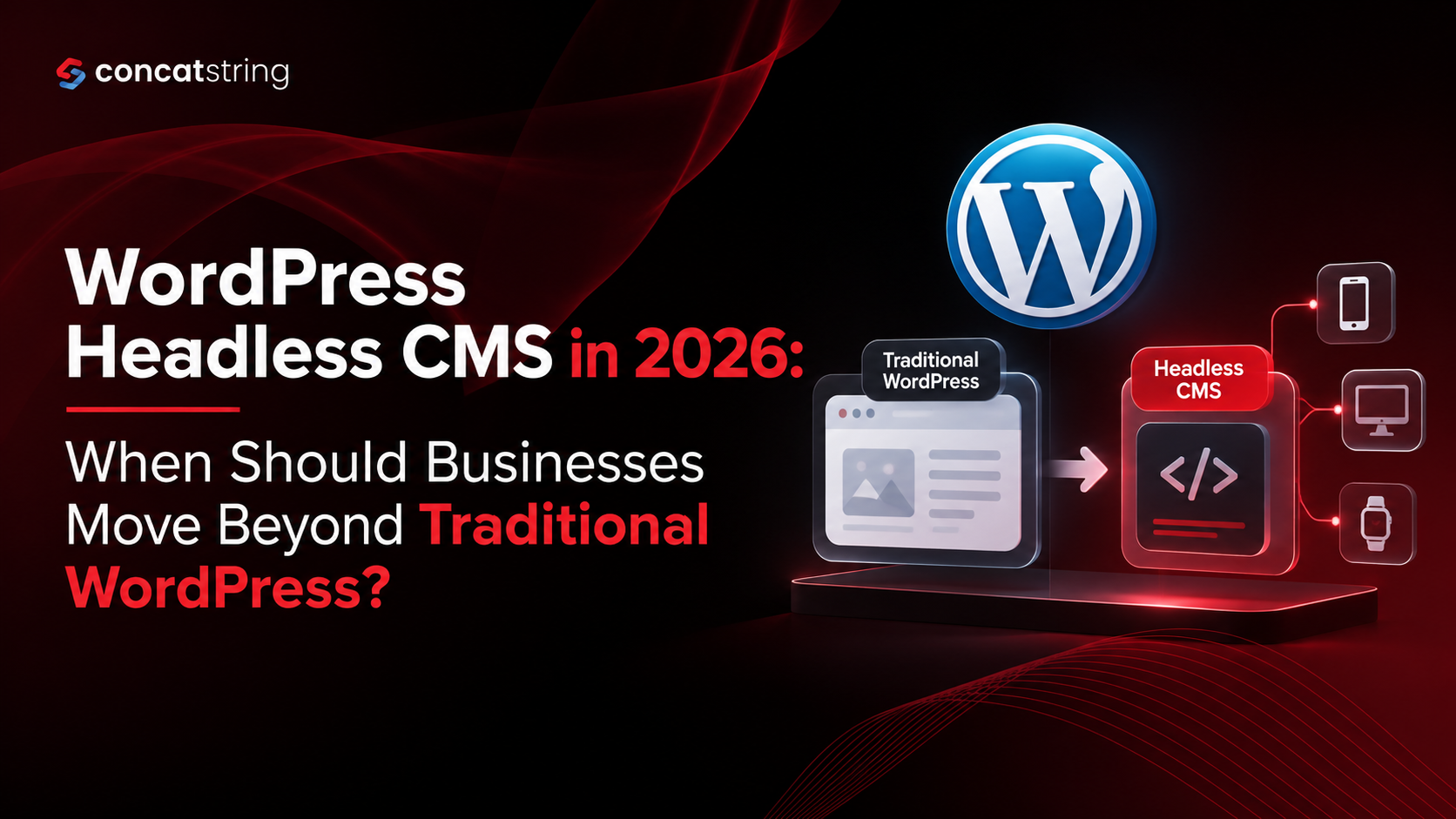
WordPress remains one of the most widely used content management systems on the web. As of November 2026, WordPress powers 39.5% of all websites and 58.2% of websites whose CMS is known. But the way businesses build digital experiences is changing. Websites are becoming more interactive, connected to multiple platforms, and increasingly dependent on modern JavaScript frameworks. That is where a WordPress Headless CMS becomes relevant. Instead of using WordPress for both content management and the front end, businesses can keep WordPress as the content engine while using a separate technology stack to deliver the customer experience.
Table of Contents
Use AI to summarize this article
What Is a WordPress Headless CMS?
A WordPress Headless CMS separates the back end from the front end. In a traditional WordPress website, WordPress manages the content, database, themes, plugins, and the website interface that visitors see. In a headless setup, WordPress continues to manage content, but another application controls how that content is presented to users.
WordPress makes this possible through its REST API, which allows applications to retrieve and send WordPress content as structured JSON data. WordPress itself describes the REST API as a way to build completely separate front-end experiences while continuing to manage content through WordPress.
This means a company could manage blog posts, pages, products, authors, or other content inside WordPress while delivering that information through a front end built with technologies such as React, Next.js, Vue, or another modern framework.
Traditional WordPress vs. Headless WordPress
Traditional WordPress is still the better choice for many businesses because everything exists within one system. Marketing teams can publish content, install plugins, manage SEO, edit pages, and maintain the website without needing a separate application architecture.
A headless WordPress setup introduces another layer. WordPress becomes the content management system, while the front end is developed and maintained separately. This can provide more control over the user experience, application architecture, performance strategy, and integrations, but it also creates additional development and maintenance requirements.
The important question, therefore, is not whether headless WordPress is newer or more advanced. The real question is whether your business has a problem that traditional WordPress is no longer solving efficiently.
When Should a Business Consider a WordPress Headless CMS?
When the Front End Needs More Flexibility
Businesses with highly interactive digital experiences may eventually find traditional WordPress themes restrictive. A headless architecture allows developers to build the front end independently from WordPress.
This is particularly useful for SaaS companies, large publishers, marketplaces, ecommerce businesses, and organizations building application-like experiences where the website needs to behave more like a web application than a conventional content-driven site.
When Content Needs to Power Multiple Experiences
One of the strongest reasons to consider headless WordPress is content reuse.
A business may want the same content to appear on its website, mobile application, customer portal, digital signage, or another digital experience. Instead of creating separate content management systems for each platform, WordPress can act as a central content source and expose that information through APIs.
The WordPress REST API is specifically designed to allow external applications to interact with WordPress content, making this type of architecture possible.
When Performance and Front-End Architecture Become Critical
A headless setup can give development teams more control over how pages are generated, cached, delivered, and optimized. Modern frameworks can support techniques such as server-side rendering, static generation, and advanced caching strategies.
However, headless does not automatically mean faster. Poor architecture, inefficient APIs, excessive JavaScript, or weak caching can create performance problems in a headless website.
SEO also needs to be considered carefully. Google can process JavaScript, but Google recommends practices that make content accessible and renderable, and notes that server-side or pre-rendering can be beneficial for both users and crawlers.
When the Website Is Becoming More Like an Application
Traditional WordPress works extremely well for content-led websites. But if the website is evolving into a sophisticated application with personalized dashboards, complex user interactions, custom search, real-time features, or multiple external services, separating the content layer from the presentation layer can make the architecture easier to control.
For example, a company could keep its editorial team working inside WordPress while developers build a completely customized customer experience using a modern front-end framework.
When Should You Stay With Traditional WordPress?
Headless WordPress is not automatically the better option.
If your business has a marketing website, service website, blog, small ecommerce operation, or relatively straightforward publishing requirements, traditional WordPress can provide everything you need. It is mature, widely supported, and familiar to marketers and content teams.
WordPress also continues to have enormous adoption across the web, which means businesses benefit from a large ecosystem of themes, plugins, developers, integrations, and documentation.
Moving to headless purely because it sounds more modern can create unnecessary costs. You may need separate front-end development, hosting, deployment processes, API management, monitoring, and technical maintenance. If those complexities do not solve a real business problem, the migration may not provide a meaningful return.
What Does a Headless WordPress Migration Require?
A successful migration starts with architecture rather than code. Businesses need to determine which system owns the content, how the front end will retrieve it, how authentication will work, how SEO metadata will be managed, and how redirects and existing URLs will be preserved.
The team should also plan for structured content, media delivery, caching, analytics, schema markup, XML sitemaps, canonical URLs, internal linking, and search engine rendering before the new front end goes live.
This is especially important for established websites with existing organic traffic. A technically impressive new front end can still damage SEO if URLs, metadata, redirects, crawlability, or rendered content are handled incorrectly.
Considering a headless WordPress migration? Concatstring can help evaluate your existing WordPress setup, identify where a decoupled architecture would actually add value, and plan a migration around performance, SEO, integrations, and long-term scalability.
How to Decide If Headless WordPress Is Right for Your Business
A useful way to make the decision is to start with business requirements rather than technology preferences.
If your primary challenge is simply managing website content, traditional WordPress is probably enough. If your challenge involves multiple digital platforms, highly customized interfaces, application-style functionality, complex integrations, or the need for greater front-end control, headless WordPress becomes much more compelling.
The decision should also consider your internal team. A headless architecture makes more sense when you have access to developers who can maintain the front end, APIs, deployments, and integrations. Without that capability, the additional flexibility can quickly become additional operational complexity.
Conclusion
WordPress is not becoming obsolete in 2026. In fact, its continued adoption shows that it remains a powerful CMS for businesses of many sizes. What is changing is how businesses use WordPress.
A WordPress Headless CMS makes sense when the business needs to separate content management from the digital experience, connect WordPress to multiple platforms, or build a highly customized application-style front end. For a straightforward business website, traditional WordPress may still be the smarter choice.
The best architecture is not the one with the most technology. It is the one that solves the business's actual requirements without creating unnecessary complexity.
If you are unsure whether your website needs traditional WordPress or a headless architecture, talk to Concatstring. Our team can assess your current website, technical requirements, SEO considerations, and growth plans to recommend an architecture that is practical today and scalable for the future.
FAQs