Website Rendering Strategies Explained: Client-Side Rendering vs Server-Side Rendering vs Static Generation

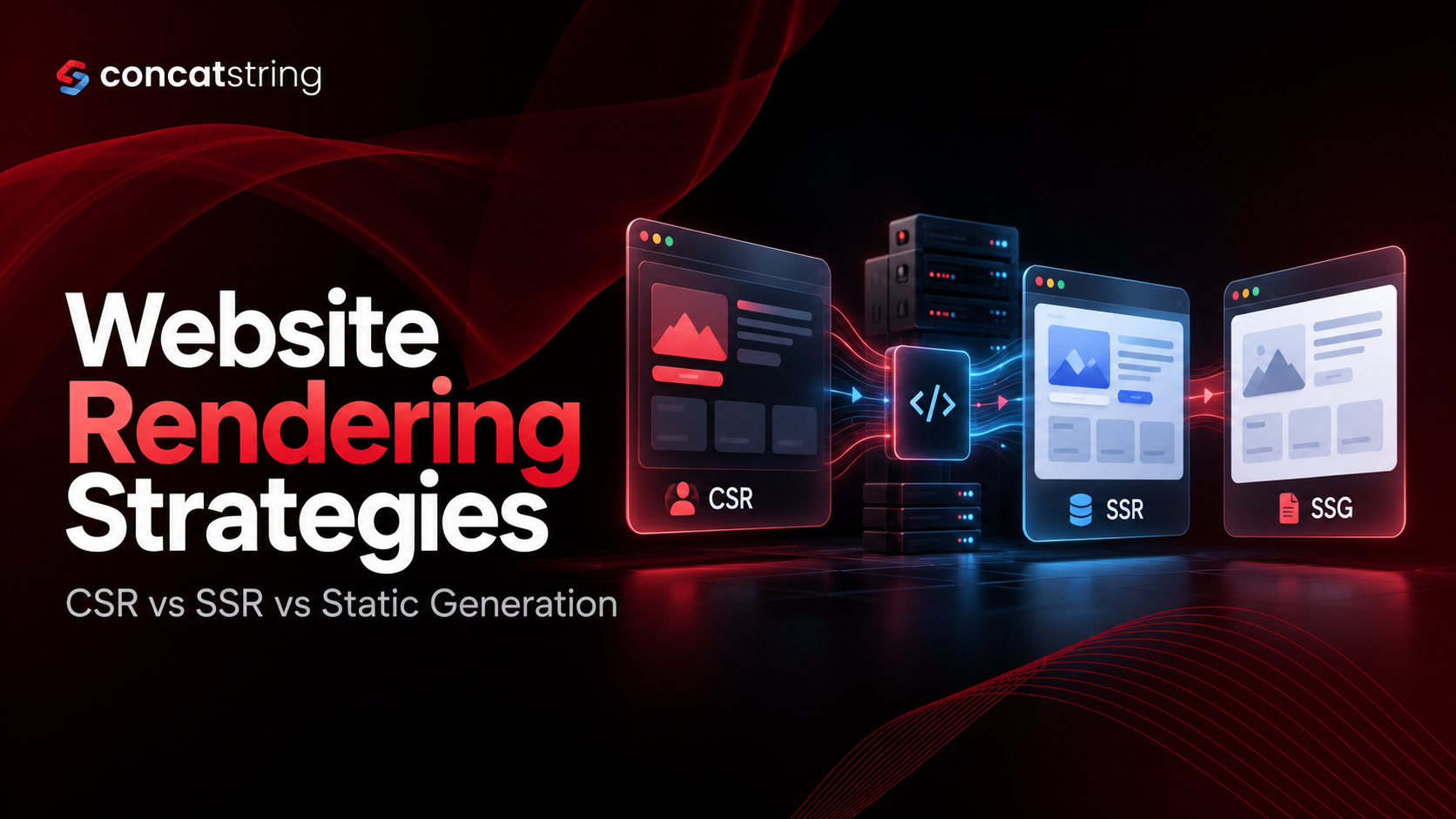
Website performance, search visibility, and user experience depend on more than design and code quality. The way a website generates and delivers its content also plays a significant role. As businesses build increasingly interactive digital experiences, choosing between client-side rendering (CSR), server-side rendering (SSR), and static site generation (SSG) has become an important architectural decision. Each approach affects how quickly users see content, how search engines process pages, and how developers manage performance as a website grows. Understanding these differences helps businesses select a solution that fits their technical requirements and long-term goals. In this guide, we explain how each rendering strategy works, its practical advantages and limitations, and how businesses can choose the right approach for their websites.
Table of Contents
Use AI to summarize this article
What Are Website Rendering Strategies?
Website rendering is the process of converting application code, data, and components into HTML that a browser can display. Whenever someone opens a website, the browser needs to receive or generate the page's structure before the visitor can read its content or interact with its features.
Website rendering strategies determine where and when this HTML is generated. In client-side rendering, much of the rendering work happens in the browser. In server-side rendering, the server generates HTML in response to a request. In static site generation, HTML is prepared before visitors request the page, typically during the build process.
Although these strategies can produce visually identical websites, their underlying workflows differ. Those differences influence initial loading performance, JavaScript execution, server requirements, content freshness, and search engine discoverability.
According to Google's Rendering on the Web guide, rendering decisions involve trade-offs between browser processing, server work, and the delivery of content to users. This makes rendering an architectural decision rather than simply a preference for one JavaScript framework over another.
For example, a company blog may benefit from static generation because its articles do not change with every visitor. A personalized customer dashboard may need server-side data, while an interactive reporting application may depend heavily on client-side functionality.
The most appropriate strategy depends on what the website needs to accomplish. Understanding the three approaches makes it easier to choose an architecture that balances performance, maintainability, scalability, and business objectives.
What Is Client-Side Rendering (CSR)?
How Does Client-Side Rendering Work?
Client-side rendering is a technique in which JavaScript running in the user's browser generates or updates much of the website's interface. The server typically sends an initial HTML document, JavaScript files, stylesheets, and other required resources. The browser downloads these resources, executes the JavaScript, retrieves data when necessary, and builds the interface.
Consider a business analytics dashboard built with React. When a user opens the dashboard, the browser loads the application and requests sales figures from an API. Once the data arrives, JavaScript displays charts, tables, filters, and summary cards. When the user changes a filter, the application can update the relevant components without reloading the entire page.
This approach is commonly associated with single-page applications (SPAs). In these applications, users can move between sections while much of the application remains loaded in the browser.
However, client-side rendering does not mean that every page must initially be blank or that the server cannot provide useful HTML. Modern applications can combine CSR with server-rendered or pre-generated content. The defining feature is that the browser performs the rendering work for the relevant interface.
For further technical context, Google's client-side rendering guidance explains how browser-side rendering affects the delivery and processing of page content.
Benefits of Client-Side Rendering
The biggest advantage of CSR is its suitability for interactive applications. After the necessary application resources have loaded, users can perform actions such as editing records, applying filters, navigating between sections, and updating information without requiring a complete page reload.
This makes CSR useful for project management platforms, collaborative applications, analytics dashboards, and internal business tools. These applications often prioritize continuous interaction over presenting large amounts of publicly discoverable content.
CSR can also support a clear separation between frontend and backend systems. The frontend communicates with APIs to retrieve or update data, allowing teams to develop the user interface independently of backend services. This can be particularly useful when several applications consume the same API infrastructure.
Another advantage is the ability to update individual interface components. For example, an online reporting application can refresh a chart when new information arrives without rebuilding the entire page. With suitable component architecture and state management, this approach can make complex applications easier to organize and maintain.
Limitations of Client-Side Rendering
One of the main challenges with CSR is the amount of processing required before meaningful content becomes available. Large JavaScript bundles, slow API responses, complex components, and limited device processing power can delay the initial user experience.
Visitors using older smartphones or unreliable internet connections may be particularly affected. If the application requires extensive JavaScript execution before displaying its main content, users may see an incomplete interface for longer than expected.
As applications grow, additional dependencies, analytics scripts, UI libraries, and third-party tools can increase the amount of JavaScript the browser must download, parse, compile, and execute. This work can affect responsiveness, especially when the browser's main thread is busy.
Google's rendering guidance discusses the performance implications of browser-side processing and the importance of managing JavaScript costs.
CSR also requires deliberate SEO implementation. Google Search can render JavaScript, but search processing may involve an additional rendering stage. Other crawlers and automated systems may not execute JavaScript in the same way.
For businesses that depend on organic traffic, it is therefore important to verify that search engines can access essential content, metadata, and links. Client-side rendering can support discoverable websites, but relying entirely on JavaScript requires careful testing.
What Is Server-Side Rendering (SSR)?
How Does Server-Side Rendering Work?
Server-side rendering generates HTML on the server in response to a page request. When a visitor opens a URL, the application retrieves the required data, constructs the HTML, and sends the result to the browser.
Imagine an ecommerce website displaying a product page. The server retrieves the product name, description, image references, price, and availability before generating the page's initial HTML. The visitor can then receive meaningful product information without waiting for the browser to construct the entire interface from scratch.
Modern frameworks frequently combine SSR with a process called hydration. During hydration, JavaScript attaches interactive behavior to HTML that has already been generated by the server. This enables features such as product image galleries, shopping cart controls, and interactive navigation.
It is important to distinguish between seeing content and being able to interact with it. A server-rendered page may appear complete before its JavaScript has finished loading and executing. Consequently, SSR implementation should consider both initial content delivery and the time required to make the page interactive.
The Next.js documentation on Server and Client Components explains how server-generated content can work alongside browser-side functionality.
Benefits of Server-Side Rendering
SSR is particularly useful when pages need to display information that changes frequently or depends on the current request. Examples include product listings, location-specific service pages, public profiles, and certain personalized experiences.
Because the server delivers meaningful HTML, users may see the main content without waiting for the entire client-side application to initialize. This can improve perceived loading performance, particularly on devices with limited processing power.
SSR can also simplify content discovery for search engines. Important text, headings, links, and metadata can be present in the initial HTML response, reducing dependence on client-side JavaScript to make the main content available.
Another advantage is that server-side code can retrieve information from databases and internal APIs without exposing private credentials in the browser. However, sensitive operations still require appropriate authentication, authorization, and data protection.
SSR can also support personalization when content depends on a visitor's session, location, or account permissions. The server can generate an appropriate response after verifying the request and retrieving the required information.
Limitations of Server-Side Rendering
SSR requires the server to perform rendering work when a request arrives. If the application depends on expensive database queries, multiple external APIs, or complex rendering logic, the response can take longer to generate.
Infrastructure requirements may also increase as traffic grows. Unlike static files that can often be served directly through a content delivery network (CDN), dynamically rendered pages may require application servers to perform additional work for each request.
Caching can help reduce this overhead. Public content that changes infrequently can often be cached, while personalized information requires more careful handling. Incorrect cache configuration may expose private data or serve outdated information to users.
Hydration is another consideration. Even though the server has generated the initial HTML, the browser may still need to execute JavaScript before interactive features become fully functional.
SSR also introduces operational responsibilities, including monitoring server response times, API latency, rendering errors, and infrastructure capacity. A poorly optimized SSR website can perform worse than a well-designed static website.
The best implementation uses dynamic rendering where it provides a meaningful benefit rather than generating every page on every request unnecessarily.
What Is Static Site Generation (SSG)?
How Does Static Generation Work?
Static site generation creates HTML before a visitor requests a page, usually during a build or publishing process. The resulting files can be deployed to a web server or CDN and delivered directly when visitors open the relevant URLs.
For example, when a business publishes a technical blog post, a static site generator can combine the article content with a page template and generate a complete HTML file. Visitors receive that file when they access the article, rather than requiring the application to construct the page for every request.
SSG is particularly useful for websites with content that changes periodically rather than for every individual visitor. Company blogs, service pages, documentation websites, knowledge bases, and many marketing landing pages are suitable examples.
Static generation does not prevent a website from using JavaScript. A statically generated page can still include interactive forms, navigation menus, search features, and other browser-side functionality. The main difference is that the initial HTML is prepared in advance.
Google's guidance on rendering for content-driven web applications describes static generation as an approach that creates HTML files at build time and delivers them through web hosting or a CDN.
Benefits of Static Site Generation
The primary benefit of SSG is efficient content delivery. Since the HTML already exists, the website does not need to execute application-level rendering logic or retrieve database records for every page request.
When static files are distributed through a CDN, users can receive content from infrastructure close to their location. This can reduce delivery latency and help websites handle traffic spikes without proportionally increasing dynamic rendering workloads.
SSG also provides a strong foundation for SEO. Article text, headings, internal links, and metadata can be included in the original HTML, making the page's main content available without requiring JavaScript execution.
For businesses publishing technical resources or educational content, static generation can also simplify deployment and maintenance. Pages can be generated during publishing and delivered consistently until the next update.
For Concatstring, static generation may be a practical option for public-facing blog articles, service descriptions, company information, and other content that does not require request-specific rendering.
Limitations of Static Site Generation
The main limitation of SSG is content freshness. Because pages are generated in advance, updates may not become visible immediately unless the site is rebuilt, the relevant page is regenerated, or an appropriate revalidation mechanism is configured.
This can become challenging for large websites containing thousands of pages or information that changes frequently. Rebuilding every page after a small content update may increase deployment time and resource usage.
Static generation is also less suitable for information that must be calculated individually for each request. Private account information, user-specific permissions, and personalized financial dashboards should not be embedded in shared static HTML.
However, a static website can still retrieve changing information through APIs. For example, a product page may be generated in advance while displaying current stock information through a separate dynamic request.
The important decision is determining which content can remain static and which information needs to be updated dynamically.
Which Website Rendering Strategy Is Best for SEO?
Is Server-Side Rendering Better for SEO?
SSR can help search engines discover important page content because the server includes that content in the initial HTML response. This can be useful for product pages, public listings, service pages, and other URLs that depend on organic search visibility.
However, SSR does not automatically improve rankings. Search performance also depends on content relevance, crawlability, page experience, internal linking, technical implementation, and the extent to which the page satisfies the user's search intent.
According to Google Search Central's JavaScript SEO documentation, Google processes JavaScript-powered pages through crawling, rendering, and indexing stages. Server-rendered or pre-rendered content can help make essential information available to search engines and other systems that do not execute JavaScript.
Is Static Generation Good for SEO?
SSG is a strong option for content-focused websites because the generated HTML can include the complete article, metadata, headings, and internal links before the page is requested.
For a company publishing technical articles, tutorials, and service information, this approach supports predictable delivery and makes it easier to inspect the HTML that search engines receive.
Static generation also creates an opportunity to establish a consistent publishing workflow. Teams can review content, validate metadata, check internal links, and regenerate pages as part of deployment.
However, technical accessibility alone does not guarantee organic visibility. Articles still need accurate information, meaningful answers, relevant examples, and clear organization to provide value to readers.
Can Client-Side Rendering Rank in Google?
Yes. Google Search can render JavaScript and index eligible content generated by JavaScript applications. Nevertheless, businesses should verify that their essential content is available in the rendered HTML and that important links, metadata, and canonical URLs are implemented correctly.
For public-facing websites, testing is especially important when content is loaded asynchronously or depends on API responses. Google's JavaScript SEO troubleshooting guide provides guidance for investigating JavaScript-related indexing issues.
For businesses that rely heavily on organic traffic, SSR or SSG can be practical choices for public content. CSR can then support interactive elements where it provides a clear user experience benefit.
What Is Hybrid Rendering, and Why Does It Matter?
Hybrid rendering combines different rendering strategies within the same website. Instead of selecting CSR, SSR, or SSG for every page, developers choose the approach that best matches each route's content and functionality.
Consider an ecommerce website. Its homepage, blog articles, and stable product descriptions may be statically generated. Search results and location-specific inventory may require server-side rendering. Interactive filters, image galleries, and shopping cart controls may use client-side JavaScript.
This architecture allows stable content to benefit from efficient delivery while dynamic pages receive current information and interactive components respond to user actions.
Modern frameworks support different forms of hybrid rendering. The Next.js rendering documentation explains how static generation, server-side rendering, and client-side data fetching can coexist within an application.
How to Implement Hybrid Rendering Effectively
Start by identifying the website's major page types and the information each one requires. Determine whether a page can be generated ahead of time, needs request-specific data, or relies mainly on browser-side interaction.
Next, define caching and content-update rules. Public content that changes infrequently can often use longer cache lifetimes, while frequently updated information may require targeted revalidation. Personalized content needs appropriate access controls and cache isolation.
Finally, keep client-side JavaScript focused on features that genuinely require it. A website does not need to become a fully client-rendered application simply because it contains an interactive form or navigation menu.
The objective is to choose the simplest architecture that satisfies the site's performance, security, content freshness, and usability requirements.
How to Measure Website Rendering Performance
Choosing a rendering strategy is only the beginning. Once the website is implemented, developers should measure how it performs under realistic conditions. Actual results depend on hosting, caching, page complexity, network quality, and device capabilities.
Google's Core Web Vitals provide useful measures of loading performance, responsiveness, and visual stability. According to web.dev's Core Web Vitals guidance, the recommended good-performance thresholds are a Largest Contentful Paint (LCP) of 2.5 seconds or less, an Interaction to Next Paint (INP) of 200 milliseconds or less, and a Cumulative Layout Shift (CLS) score of 0.1 or less. These targets are evaluated at the 75th percentile of page visits, with mobile and desktop assessed separately.
LCP measures how quickly the main content becomes visible. INP evaluates responsiveness to user interactions, while CLS measures unexpected movement of visible page elements. Together, these metrics provide a more complete view of the user experience than a single page-load time.
Test Real User Experiences, Not Just Development Builds
Tools such as Lighthouse can help identify performance problems during development, but field data from real users is also important. Test high-priority pages on mobile devices and slower connections, paying particular attention to routes that contribute to leads, sales, or organic traffic.
For CSR, investigate JavaScript execution time, API latency, and the delay before the main interface appears. For SSR, measure server response time, rendering duration, cache effectiveness, and hydration. For SSG, evaluate CDN delivery, asset optimization, cache invalidation, and content freshness.
Testing should also include functional behavior. A fast website still needs accessible navigation, working forms, accurate information, and reliable interactions.
Performance should be reviewed after significant releases, especially when new dependencies or features are introduced. Establishing a baseline before optimization helps teams determine whether a change delivers measurable improvements.
Common Mistakes to Avoid When Choosing a Rendering Strategy
One common mistake is assuming that server-side rendering automatically makes a website fast. SSR can reduce browser-side work, but slow backend queries, expensive server operations, and large JavaScript bundles can still create performance problems.
Another mistake is using CSR everywhere simply because it matches the team's preferred development workflow. For public content pages, this can introduce unnecessary JavaScript and make initial content delivery more complicated than necessary.
Teams can also overlook content freshness when implementing static generation. If pages are not regenerated after important changes, visitors may see outdated prices, service details, or technical information. A reliable publishing workflow should specify when pages are rebuilt and how cached content is updated.
Finally, rendering should not be selected based on SEO assumptions alone. The architecture affects how content is delivered, but it cannot replace useful information, technically sound implementation, relevant internal links, or a good user experience.
A more reliable approach is to assess the website's requirements, implement the most suitable strategy, and validate the outcome through performance testing and search engine inspection.
Conclusion: Choose the Right Rendering Strategy for Long-Term Growth
Client-side rendering, server-side rendering, and static site generation each address different website requirements. CSR supports interaction-heavy applications, SSR is useful for content that depends on the current request, and SSG provides efficient delivery for pages that can be generated in advance.
For many modern websites, hybrid rendering offers a practical balance. Static pages can support content delivery and discoverability, server-rendered routes can handle dynamic information, and client-side components can deliver the interactive experiences users expect.
The right choice depends on content freshness, user interactions, SEO objectives, infrastructure requirements, and long-term maintenance. By evaluating these factors and measuring real-world performance, businesses can build websites that remain efficient, accessible, and scalable as their needs evolve.
Build a Faster, More Scalable Website with Concatstring
Choosing the right rendering architecture can help your business build a website that delivers content efficiently, supports organic visibility, and provides a better user experience. Concatstring can help you evaluate your website requirements and identify a development approach aligned with your performance, scalability, and business objectives.
Whether you are building a content-focused website, an interactive web application, or a platform that combines multiple rendering strategies, the focus should be on creating a reliable digital experience that supports your business as it grows.
Ready to improve your website's performance and architecture? Connect with Concatstring to discuss your web development requirements and find the right rendering strategy for your project.
FAQs