HubSpot Website Analytics: Measuring Which Pages Actually Generate Qualified Leads

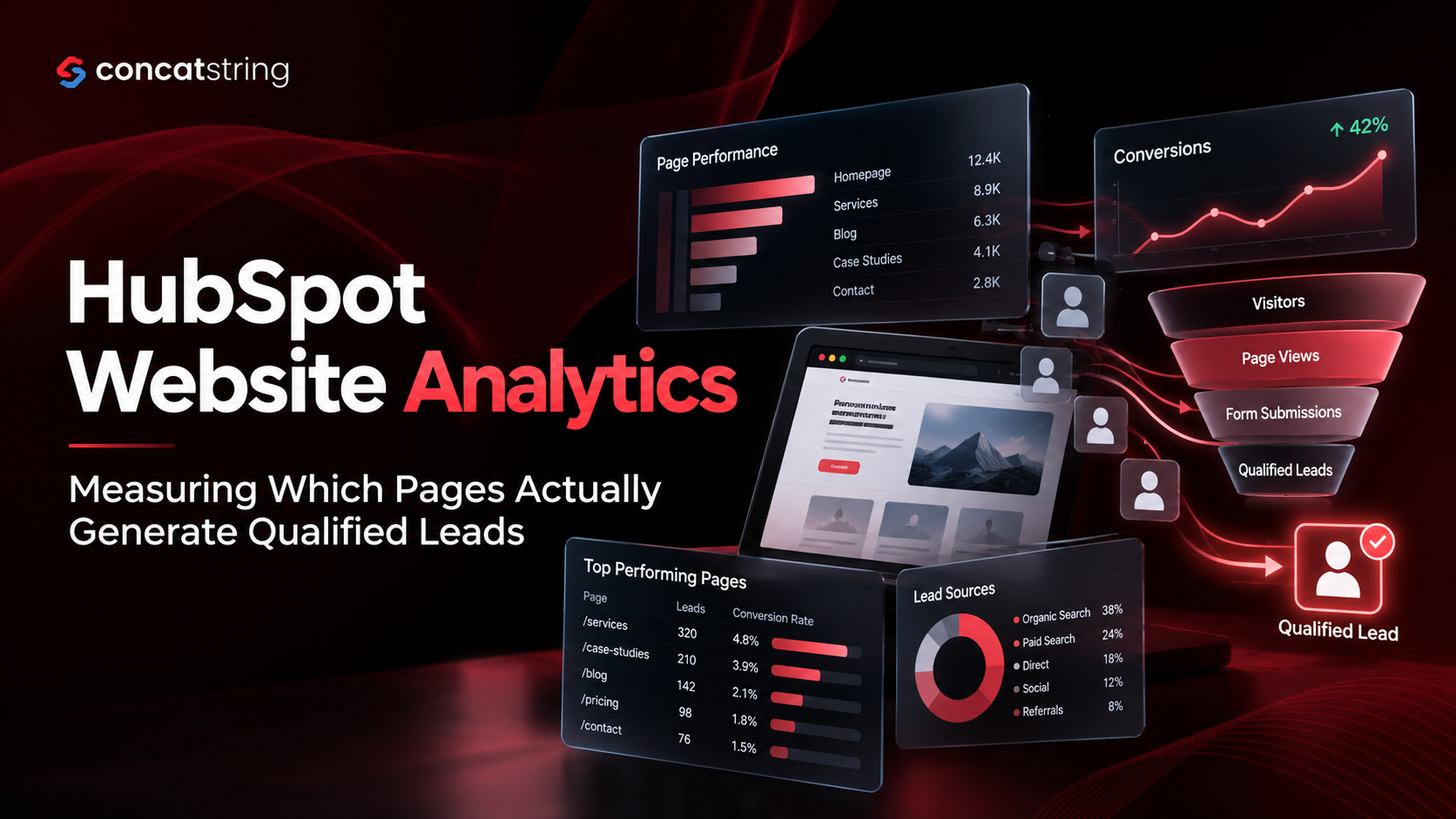
Website traffic is only valuable when it attracts the right audience and creates opportunities for business growth. HubSpot website analytics helps businesses move beyond pageviews and form submissions to understand which pages, campaigns, and visitor interactions contribute to qualified leads. HubSpot's attribution reporting connects marketing assets and customer interactions with contact creation, deal creation, and revenue outcomes. As B2B buying journeys become increasingly research-driven, businesses need a clearer picture of how website content influences sales readiness. For marketing teams, the opportunity is to identify high-intent pages, improve underperforming conversion paths, and invest in content that supports measurable pipeline growth rather than traffic alone.
Table of Contents
Use AI to summarize this article
Why Website Traffic Does Not Always Mean Better Leads
A website can attract thousands of visitors every month and still struggle to generate meaningful business opportunities. A blog post might rank well in search engines, a service page might receive consistent traffic, and a landing page might collect dozens of form submissions. Yet the sales team may discover that many of these contacts lack the budget, authority, business need, or intent required to become customers.
This disconnect happens when businesses evaluate website performance primarily through traffic, engagement, and conversion volume instead of lead quality.
HubSpot website analytics provides a way to examine how visitors arrive, which pages they interact with, and how marketing activity contributes to contact creation. When these insights are connected with lifecycle stages and attribution reports, businesses can develop a more commercially meaningful view of website performance.
The objective is not simply to discover which page generates the most leads. It is to identify which pages attract suitable prospects, encourage valuable actions, and contribute to qualified sales opportunities.
For Concatstring, this represents an important principle of performance-driven digital marketing: every website page should have a measurable purpose, and its performance should be evaluated against the business outcome it is intended to support.
What Is HubSpot Website Analytics?
HubSpot website analytics is a collection of reporting capabilities that helps businesses understand website traffic, visitor behavior, marketing performance, and conversion activity. Depending on the HubSpot subscription, configuration, and connected assets, marketers can analyze traffic sources, website pages, campaigns, and interactions associated with contacts.
HubSpot's official documentation explains how its web traffic analytics tool can break down website traffic by dimensions such as source, topic cluster, device type, and country. The platform's attribution reporting goes further by helping marketers understand which interactions and assets receive credit for contact creation, deal creation, and revenue.
These capabilities serve different but complementary purposes.
Traffic analytics explains how people reach and use a website. Conversion reporting reveals whether visitors take meaningful actions. Attribution reporting helps connect marketing interactions with downstream outcomes.
When these views are considered together, marketers can investigate a more important question: which website pages are helping the business attract and convert the right prospects?
Website Analytics Versus Lead Generation Analytics
Traditional website reporting often focuses on sessions, pageviews, bounce-related engagement measures, and time spent on a page. These metrics can help identify audience interest, technical problems, and content engagement, but they do not independently establish lead quality.
Lead generation analytics adds business context. It evaluates whether visitors become contacts, whether those contacts match the ideal customer profile, whether sales accepts them, and whether they eventually create pipeline or revenue.
Consider a B2B software company comparing two pages. Its educational blog attracts 5,000 monthly visitors and generates 100 newsletter subscriptions. Its service page attracts 800 visitors and generates 24 demo requests from companies that closely match the target market.
The blog has greater reach, but the service page may produce more immediate sales opportunities. Neither page should automatically be considered more valuable without examining the subsequent qualification and sales data.
The distinction matters because website engagement is a leading indicator, while qualified opportunities and revenue are closer to the outcomes that justify marketing investment.
Why Measuring Qualified Leads Matters More Than Counting Conversions
A conversion is not automatically a qualified lead. A person who downloads a free template, subscribes to a newsletter, requests a product demonstration, or books a consultation has completed an action, but each action represents a different level of intent.
A useful analytics framework distinguishes between conversion volume and conversion quality.
Conversion volume tells marketers how many people completed an action. Conversion quality indicates whether those people are likely to become suitable customers.
HubSpot's lifecycle stage documentation describes how contacts and companies can progress through stages such as Lead, Marketing Qualified Lead (MQL), Sales Qualified Lead (SQL), Opportunity, and Customer. These stages provide a foundation for connecting website activity with the sales process.
What Makes a Website Lead Qualified?
A qualified lead should meet criteria defined jointly by marketing and sales. Those criteria typically combine company fit, the prospect's role, the problem they need to solve, and evidence of buying intent.
For example, a digital marketing agency may define an ideal prospect as a business operating in its target industry, having an appropriate budget, and looking for services that the agency offers. A student researching marketing concepts might engage extensively with the same website but would not necessarily qualify as a commercial prospect.
Website behavior can provide supporting evidence. Visiting a pricing page, reviewing implementation details, comparing service packages, or submitting a consultation request may indicate stronger intent than reading a general educational article. However, behavior alone should not be treated as definitive proof of qualification.
The most reliable approach combines behavioral information with CRM data and an agreed qualification process.
How to Connect Website Activity With Sales Readiness
Start by defining what a qualified lead means for your business. Document the firmographic, demographic, and behavioral criteria that distinguish a viable prospect from a casual visitor.
Next, make sure HubSpot captures the necessary contact information and records lifecycle stage changes consistently. Align form fields, CRM properties, lead scoring rules, and sales qualification procedures with those criteria.
Finally, evaluate the pages associated with each stage of the journey. A page that attracts visitors who become MQLs may serve a different purpose from a page that repeatedly appears in the journeys of SQLs or newly created opportunities.
This creates a more useful picture of website contribution than simply ranking pages by their number of submissions.
How to Identify Which Website Pages Generate Qualified Leads in HubSpot
Finding high-performing pages requires a structured measurement process. Traffic, conversion, qualification, and attribution data must be interpreted together rather than as disconnected reports.
Step 1: Establish Reliable Website Tracking
Before analyzing page performance, confirm that the HubSpot tracking code is installed correctly on the relevant website pages. Check that your domain configuration, forms, cookie consent behavior, and connected marketing assets are working as intended.
If the website runs on a content management system or a custom-built platform, verify that tracking works consistently across templates, landing pages, blog posts, and service pages. Pages hosted on separate subdomains or external platforms may require additional configuration.
HubSpot's official website traffic analytics guide provides the relevant setup and reporting guidance.
Tracking consistency matters because missing page activity can distort comparisons. If one template records visits correctly while another does not, the resulting report may incorrectly suggest that one section of the website attracts less interest.
Before making optimization decisions, test important pages, confirm that expected visits and form submissions are recorded, and investigate unexpected gaps in the data.
Step 2: Identify the Pages That Attract Relevant Visitors
Once tracking is reliable, review traffic by page, source, campaign, and device where available. The purpose is to identify which pages attract your target audience and how those visitors discover the content.
A blog post may attract prospects through organic search, while a service page may receive traffic from paid search or targeted email campaigns. A case study may attract fewer visitors but resonate with people who already understand the problem and are evaluating providers.
Segmenting traffic helps prevent misleading conclusions. A page receiving high traffic from a broad informational keyword may have a different conversion profile from a page attracting searches related to pricing, implementation, or service providers.
Look at both traffic volume and audience relevance. If a page attracts substantial traffic but consistently generates contacts outside your target market, its reach may be less commercially valuable than its headline numbers suggest.
The goal at this stage is to build a shortlist of pages worth investigating—not to declare winners based on traffic alone.
Step 3: Measure Meaningful Conversion Actions
Next, examine what visitors do after arriving on those pages. Relevant actions might include requesting a consultation, booking a demonstration, submitting a project inquiry, downloading a commercial resource, or starting a trial.
Track these actions consistently and distinguish high-intent conversions from low-commitment engagements. A newsletter subscription and a consultation request should not be treated as equivalent outcomes simply because both create a contact record.
Where appropriate, configure form submissions, CTA interactions, and other important actions as measurable events. Google Analytics also supports event-based measurement and key events for actions that matter to a business. Its official event setup documentation explains how website interactions can be captured for reporting.
In HubSpot, use the relevant form, CTA, campaign, and reporting capabilities available in your account to understand how those actions relate to page performance.
Make sure event definitions are clear and that duplicate submissions, internal traffic, spam, and testing activity do not inflate results. A reliable conversion rate is only useful when the underlying event represents a real and consistently measured action.
Step 4: Connect Conversions to Lifecycle Stages
A form submission is the beginning of the qualification process, not its conclusion.
Review which converted contacts progress to MQL, SQL, Opportunity, and Customer stages. The exact stages and qualification rules should reflect your sales process rather than a generic template.
HubSpot lifecycle stage properties help organize contacts and companies according to their position in the marketing and sales process. See the official lifecycle stages guide for definitions and configuration details.
Once lifecycle data is reliable, compare the contacts associated with different landing pages, service pages, and content assets. Depending on your HubSpot setup, reporting capabilities, and data associations, you may need to use attribution reports, CRM lists, custom reports, or an exported dataset to complete the analysis.
For example, a page that generates 40 contacts may produce only two sales-qualified leads. Another page may generate 15 contacts, of whom six become sales-qualified leads. The second page would have a much stronger observed SQL yield, even though it produced fewer contacts overall.
That difference is exactly what qualified-lead analytics is designed to uncover.
Step 5: Use Attribution Reports to Understand Page Contribution
HubSpot attribution reporting helps marketers examine how interactions contribute to defined outcomes. According to HubSpot's attribution reporting documentation, available report types include Contact Create Attribution, Deal Create Attribution, and Deal Revenue Attribution, with access depending on subscription and configuration.
Contact Create Attribution helps identify assets and interactions associated with creating contacts. Deal Create Attribution focuses on interactions contributing to deal creation, while Deal Revenue Attribution evaluates marketing contribution to deal revenue.
These reports answer different questions. A page that generates new contacts may not be the same page that contributes most to pipeline or revenue. A blog article may introduce a prospect to the business, a service page may build intent, and a case study may help the prospect feel confident enough to request a proposal.
Attribution models distribute credit differently across a customer journey. First-touch attribution emphasizes the initial interaction, last-touch attribution emphasizes the final interaction before conversion, and linear attribution distributes credit across interactions. Other models, including time-decay and empirical approaches, apply different weighting methods.
No single model provides a perfect representation of causality. Treat attribution as evidence of contribution, compare relevant models where possible, and combine the results with sales feedback and CRM outcomes.
Step 6: Compare Pages Using Consistent Time Periods
Page performance changes with seasonality, campaigns, search rankings, and shifts in audience demand. Comparing one page's best month with another page's weakest month can produce misleading conclusions.
Use consistent reporting periods and allow sufficient time for leads to progress through the sales cycle. For B2B businesses with longer buying journeys, recent contacts may not yet have had enough time to become qualified opportunities.
A practical starting point is to review the most recent complete quarter alongside a longer historical period, if enough data is available. The appropriate window depends on lead volume, sales-cycle length, and campaign activity.
Separate brand awareness campaigns from high-intent acquisition activity where possible, and document major changes such as new landing pages, paid media launches, or revised qualification rules.
This makes it easier to distinguish sustained performance improvements from short-term fluctuations.
Which HubSpot Website Analytics Metrics Should You Track?
The most useful metrics connect website activity to lead quality and business outcomes. A balanced dashboard should show how pages attract visitors, convert them into contacts, and contribute to qualified pipeline.
Page-Level Conversion Rate
Page-level conversion rate measures the proportion of relevant visitors or sessions that complete a defined conversion action. The denominator must be consistent: a visitor-based rate should not be compared directly with a session-based rate.
For a session-based calculation:
Page conversion rate = Conversions attributed to the page ÷ Eligible sessions × 100
Suppose a landing page receives 1,200 eligible sessions and generates 36 form submissions. Its session-based conversion rate is 3%.
That figure is useful for understanding the page's ability to generate action, but it does not reveal how many submissions meet your qualification criteria. It should be evaluated alongside lead quality and downstream progression.
Qualified Lead Rate
Qualified lead rate measures the proportion of generated contacts that satisfy a defined qualification threshold.
Qualified lead rate = Qualified leads ÷ Total generated leads × 100
Suppose Page A generates 100 contacts and 15 become qualified leads. Its qualified lead rate is 15%. Page B generates 40 contacts and 12 become qualified leads, giving it a 30% qualified lead rate.
Page A generates more qualified leads in absolute terms, but Page B attracts a more qualified mix of contacts. The right investment decision depends on costs, total volume, sales acceptance, pipeline contribution, and the role each page plays in the journey.
Sales-Qualified Lead Rate
The SQL rate narrows the focus to contacts accepted as viable sales prospects.
SQL rate = Sales-qualified leads ÷ Total generated leads × 100
This metric helps identify whether a page attracts contacts who meet sales requirements. If a page generates many MQLs but few SQLs, investigate audience fit, offer expectations, lead scoring, and the handoff between marketing and sales.
Do not assume that every low SQL rate is a content problem. Qualification rules may be inconsistent, sales follow-up may be delayed, or a page may serve an early-stage educational purpose rather than immediate lead generation.
Opportunity Rate and Pipeline Contribution
Opportunity rate connects lead generation to a more commercially meaningful stage.
Opportunity rate = Opportunities created from the measured lead cohort ÷ Total leads in that cohort × 100
Pipeline contribution examines the value of opportunities associated with those leads. Use clearly defined attribution rules, consistent deal associations, and a consistent time window to avoid double-counting.
For example, a service page may create fewer contacts than a general blog, but those contacts may be associated with larger or more suitable opportunities. In that situation, optimizing for contact volume alone could push the team toward attracting more leads while weakening overall business performance.
Cost per Qualified Lead
For businesses running paid campaigns, cost per qualified lead connects acquisition expenditure with lead quality.
Cost per qualified lead = Relevant acquisition spend ÷ Qualified leads generated
If a campaign spends ₹60,000 and generates 20 qualified leads, the cost per qualified lead is ₹3,000. Compare this with other campaigns and pages only when spend allocation, qualification definitions, and attribution windows are reasonably consistent.
For organic content, direct media spend may not capture the full cost. Consider production, distribution, and maintenance costs when evaluating content investment, especially when comparing SEO-led pages with paid landing pages.
Revenue and Return on Marketing Investment
Revenue attribution is a stronger commercial signal than raw lead volume, although it requires more complete CRM data and a mature enough sales cycle. HubSpot's deal revenue attribution reporting can help eligible users examine marketing interactions associated with closed-won deal revenue.
When evaluating ROI, account for the fact that attribution credit is not the same as proof that a page independently caused a sale. Use revenue reporting alongside opportunity quality, sales feedback, and the broader acquisition cost structure.
How to Build a HubSpot Dashboard for Qualified Lead Generation
A useful dashboard should help marketing and sales answer business questions without requiring manual analysis of multiple disconnected reports every week.
Start with a page-performance report that shows traffic, source, and conversion activity. Add qualification metrics to understand which pages produce MQLs and SQLs, using available HubSpot reporting tools or a consistent CRM export when page-level lifecycle analysis requires additional work.
Where your subscription supports it, include Contact Create Attribution, Deal Create Attribution, and Deal Revenue Attribution reports. These help distinguish between pages that generate contacts, pages that contribute to deal creation, and marketing interactions associated with closed revenue.
The dashboard should also display reporting dates, qualification definitions, and attribution settings. Without these details, teams may compare numbers that look similar but measure different things.
Organize Reporting Around Decisions
The dashboard is most valuable when every metric supports a decision. If organic traffic is increasing but qualified leads remain flat, investigate search intent, audience relevance, and conversion paths. If form submissions are strong but sales acceptance is low, review qualification criteria and messaging. If SQL volume is healthy but opportunities are weak, examine sales feedback, pricing alignment, and the handoff process.
Assign ownership for the actions that follow each review. Marketing may own content updates and landing page tests, while sales operations may own lifecycle data quality and CRM reporting consistency.
A dashboard should not simply display more numbers. It should make the next improvement clearer.
Common Mistakes When Measuring Website Lead Quality
Optimizing for Form Submissions Alone
A high number of submissions can create the impression that a page is successful, even when most contacts are irrelevant. Measure qualified lead rate and sales progression alongside conversion volume to understand whether the page is attracting the right people.
Treating Last-Touch Attribution as the Complete Story
The last page before conversion may not be the interaction that originally created demand or built trust. Review different attribution models and journey interactions where available, and avoid assigning all marketing value to a single final touchpoint.
Ignoring the Time Required for Lead Qualification
New contacts need time to progress through qualification and sales. Judging a recently published page against an established page without accounting for sales-cycle timing can undervalue content that is still generating early-stage prospects.
Using Inconsistent Qualification Rules
If marketing labels a contact as qualified based on engagement while sales uses budget, authority, and purchase readiness, reporting will become difficult to interpret. Agree on qualification criteria and document how lifecycle stages are updated.
Making Decisions From Small Samples
A page with two qualified leads from four contacts has a 50% qualified lead rate, but that small sample does not establish reliable long-term performance. Review both the percentage and the absolute number of leads, and gather more evidence before making significant investment decisions.
Overlooking Tracking and Data Quality
Missing tracking code, inconsistent campaign tagging, duplicate contacts, unassociated deals, and delayed CRM updates can distort reports. Validate the underlying data before changing content or reallocating budget based on an apparent performance gap.
How to Improve Pages That Generate Traffic but Few Qualified Leads
When a page attracts visitors but produces few qualified leads, begin by investigating whether the content matches the audience's search intent. A general informational article may naturally attract people who are researching a topic rather than purchasing a service.
If the audience is relevant, examine the next step the page offers. Is the CTA aligned with the visitor's stage of awareness? Does the page explain what happens after submitting a form? Are the benefits, scope, and intended audience clear enough for a suitable prospect to take action?
Review the page's supporting evidence as well. Relevant case studies, clear service descriptions, transparent processes, and specific explanations of outcomes can help qualified prospects evaluate whether your business meets their needs. Avoid unsupported performance claims or generic promises that attract attention but do not set accurate expectations.
Next, evaluate the conversion path. Long forms may create unnecessary friction, while very short forms may provide too little information to route or qualify inquiries effectively. Test changes individually where possible, and measure both conversion volume and downstream qualification.
Internal links also play a role. An educational article can guide readers toward a relevant service page, a comparison resource, or a case study. This creates a more natural journey from problem discovery to vendor evaluation without turning every page into an aggressive sales pitch.
The objective is to improve the fit between the visitor's needs, the page's message, and the next action—not simply to maximize clicks.
Turning HubSpot Website Analytics Into a Continuous Optimization Process
Qualified-lead measurement works best as an ongoing process rather than a one-time audit.
Begin each reporting cycle by identifying pages with meaningful changes in traffic, conversion rate, lead quality, or opportunity contribution. Investigate the cause of those changes using traffic sources, search intent, campaign activity, and sales feedback.
Prioritize improvements according to their likely business impact and the strength of the evidence. A high-traffic page with a clear mismatch between audience intent and offer may deserve immediate attention. A low-volume page with a promising qualified lead rate may need more data before a major redesign.
Document each change and establish a baseline. After updating a page, monitor the same metrics over a comparable period and account for differences in campaign mix, traffic volume, and lead maturation. When traffic allows, use controlled tests to compare alternatives rather than relying exclusively on before-and-after results.
Marketing and sales should review the findings together. Marketing can explain the content, campaigns, and conversion paths that brought prospects to the site, while sales can identify whether those prospects fit the target customer profile and progress toward opportunities.
Over time, this feedback loop helps businesses improve their content strategy, strengthen conversion paths, and make better-informed investment decisions.
Conclusion: Measure the Pages That Move Buyers Forward
HubSpot website analytics becomes significantly more useful when website performance is connected to qualified leads, sales opportunities, and revenue. Traffic and conversion metrics explain what visitors do, while lifecycle stages and attribution reporting help reveal how those interactions relate to business outcomes.
The most effective measurement strategy combines reliable tracking, consistent qualification criteria, page-level conversion analysis, and CRM data. It also recognizes that different pages serve different purposes: educational content can introduce prospects, service pages can capture intent, and case studies can support vendor evaluation.
For businesses seeking sustainable growth, the priority should be to identify which pages consistently attract suitable prospects and help them move forward in the buying journey. That insight creates a stronger foundation for content planning, conversion optimization, and marketing investment.
Concatstring can use this measurement-first approach to help businesses connect digital marketing performance with meaningful commercial outcomes. Rather than optimizing for traffic alone, focus on the website experiences that contribute to better-qualified leads and stronger sales opportunities.
Make Your Website Analytics More Valuable With Concatstring
Are you generating website traffic but struggling to understand which pages actually produce qualified leads? Concatstring can help you take a more structured approach to website performance, lead generation, and conversion optimization.
Build a clearer view of what attracts your ideal audience, which content encourages meaningful action, and where your website can do more to support your sales pipeline. Start measuring performance against business outcomes and turn your analytics into a practical roadmap for growth.
Ready to make your website work harder for your business? Connect with Concatstring to explore a more measurable, data-driven approach to digital growth.
FAQs