React Smart Image: The Free React Image Optimization Plugin Every Developer Should Use

Images account for the majority of data downloaded on modern websites. According to HTTP Archive, images often make up more than half of a webpage's total size, making them one of the biggest contributors to slow page loads and poor user experience. For React developers, optimizing images usually means combining multiple libraries, writing custom hooks, handling loading states, creating responsive images, implementing retry logic, and maintaining additional code throughout the project.
React Smart Image changes that completely.
Developed by Concatstring, React Smart Image is a lightweight, fully TypeScript React component that replaces the standard HTML <img> tag with a smarter solution that automatically handles modern image optimization techniques without adding runtime dependencies.
Instead of installing multiple packages or building custom image components from scratch, you simply replace:
<img />
with
<SmartImage />
and gain access to enterprise-level image optimization features immediately.
Table of Contents
Use AI to summarize this article
What is React Smart Image?
React Smart Image is a free and open source React image component built to solve common image loading challenges found in modern web applications.
Rather than acting as another image library, it serves as an enhanced replacement for the traditional image element while remaining compatible with standard image attributes developers already use.
Whether you're building SaaS products, dashboards, ecommerce websites, portfolios, blogs, or enterprise applications, React Smart Image helps deliver faster image loading and better user experiences with minimal effort.
Why Traditional Image Tags Fall Short
The HTML image element is intentionally simple. While that simplicity is useful, production applications usually require significantly more functionality.
Developers often need to implement lazy loading, loading placeholders, error handling, retry mechanisms, responsive image delivery, image analytics, caching, and modern formats such as WebP.
Most teams end up solving these problems repeatedly across different projects. The result is duplicated code, larger bundles, inconsistent implementations, and additional maintenance work.
React Smart Image packages these capabilities into a single component while keeping the developer experience simple.
Install React Smart Image in Seconds
Installation takes less than a minute.
npm install @concatstring/react-smart-image
After installation, simply import the component.
import { SmartImage } from "@concatstring/react-smart-image";
Replace your existing image tag.
<SmartImage
src="/hero.jpg"
alt="Hero Image"
width={1200}
height={600}
/>
That's all it takes.
Features That Make React Smart Image Powerful
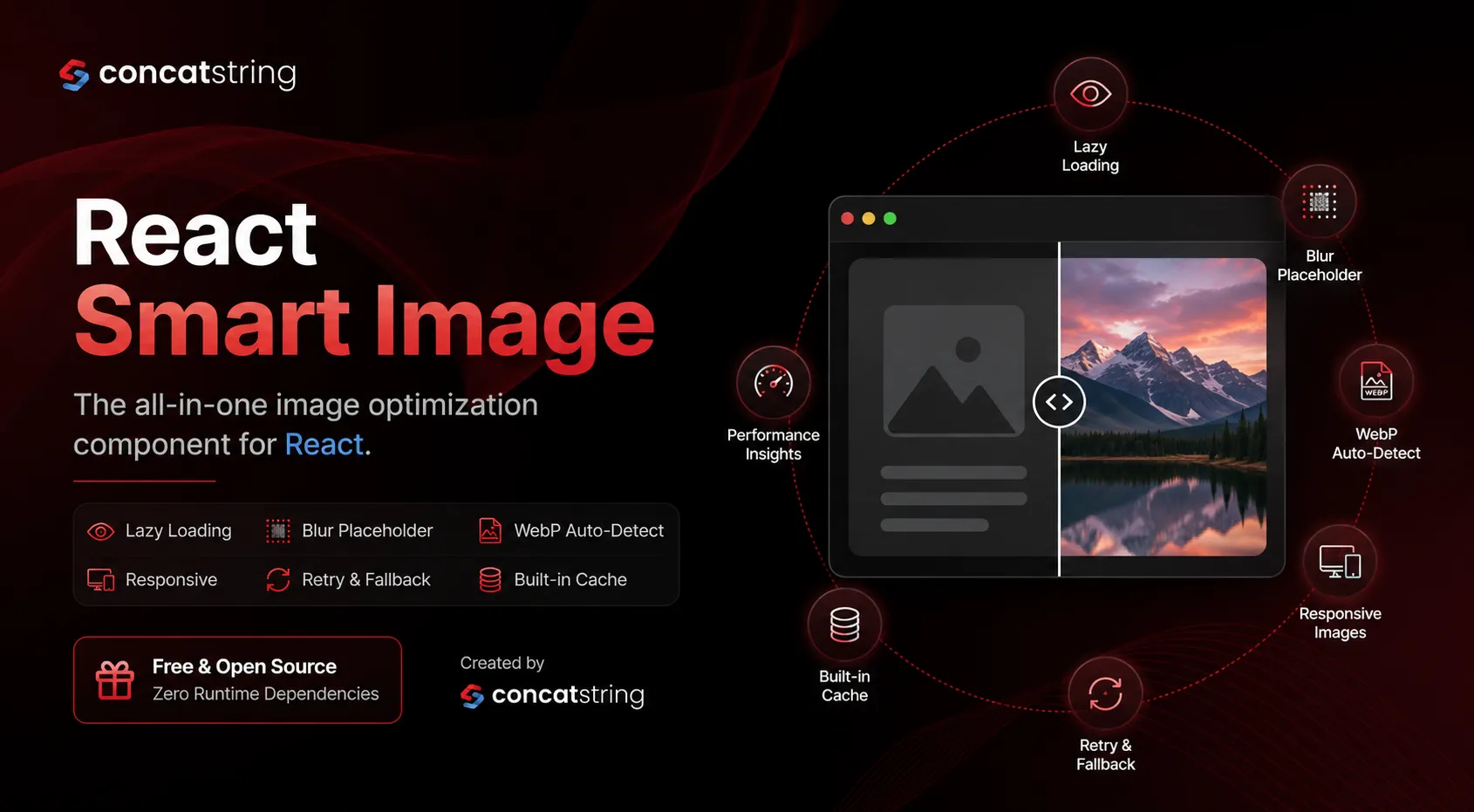
Lazy Loading That Saves Bandwidth
Not every visitor scrolls through an entire webpage.
Traditional image elements often begin downloading immediately, even when they are thousands of pixels below the visible area. This wastes bandwidth, increases page weight, and slows initial rendering.
React Smart Image intelligently waits until an image approaches the viewport before downloading it. Images outside the viewing area consume no network resources until they're actually needed.
For content-heavy websites, blogs, ecommerce stores, and landing pages, this can dramatically reduce unnecessary image requests.
Beautiful Skeleton Loaders Instead of Empty Spaces
Blank image containers create poor visual experiences.
React Smart Image replaces empty spaces with animated skeleton loaders that preserve layout while providing users with visual feedback that content is loading.
Skeleton colors are fully customizable, making them suitable for both light and dark themes while matching your application's branding.
The result is a smoother and more professional loading experience.
Automatic Blur Placeholders Without Manual Base64 Images
Blur placeholders have become popular because they make images appear almost instantly while the full resolution version downloads.
Normally, implementing this requires manually generating Base64 placeholders or integrating additional tooling into your build process.
React Smart Image eliminates that complexity.
Using the Auto Blur feature, the component automatically generates a tiny preview image from your existing CDN URL and smoothly transitions to the full image once loading completes.
No manual preprocessing.
No Base64 generation.
No additional workflow.
Responsive Images That Match Every Screen
Serving the same desktop image to mobile devices wastes bandwidth and hurts performance.
React Smart Image automatically supports responsive image loading through generated srcSet values and customizable sizing strategies.
Whether you're using Cloudinary, Imgix, CloudFront, Next.js image services, or your own CDN, you can generate image URLs using custom builders without changing your application architecture.
Users receive images appropriate for their screen size, resulting in faster downloads and improved Core Web Vitals.
Automatic WebP Detection
Modern browsers support WebP because it provides significantly smaller file sizes compared to traditional JPEG images.
However, not every server hosts WebP versions, and not every browser behaves identically.
React Smart Image automatically attempts to load the WebP version first and gracefully falls back to the original image whenever necessary.
Developers don't need to maintain multiple code paths or browser detection logic.
Intelligent Retry Logic
Network failures happen.
CDNs occasionally experience temporary issues, mobile users lose connectivity, and requests fail unexpectedly.
Instead of immediately displaying a broken image, React Smart Image retries failed requests using exponential backoff.
This dramatically increases successful image delivery without requiring additional developer effort.
Error Fallback Images
Nothing makes an application look less polished than broken image icons.
React Smart Image allows developers to define fallback images that automatically replace failed image requests.
Users always see meaningful content instead of browser-generated broken image placeholders.
This is especially useful for ecommerce platforms, user-generated content, profile photos, and marketplaces.
Progressive Thumbnail Loading
Large, high-quality images often require several seconds to download.
Rather than forcing users to wait, React Smart Image supports thumbnail-first loading.
A lightweight preview appears almost instantly before being replaced by the full-resolution image.
This creates a faster perceived loading experience while maintaining image quality.
Built-in Performance Metrics
Performance optimization should be measurable.
React Smart Image includes an onLoadInfo callback that provides useful information immediately after an image finishes loading.
Developers can access image dimensions, loading time, cache status, and other useful metrics for analytics dashboards or performance monitoring systems.
This makes it easier to identify bottlenecks and continuously improve application performance.
In-Memory Image Cache
Browsers already cache images, but React Smart Image goes one step further.
The component remembers images loaded during the current session, allowing previously viewed images to appear instantly without displaying loading animations again.
Developers can also clear or invalidate specific cache entries whenever images change.
This is particularly useful for profile images, uploaded assets, and frequently revisited pages.
Fully TypeScript Ready
Every prop, callback, and utility is fully typed.
Developers receive IntelliSense support, compile-time validation, and improved productivity while integrating React Smart Image into TypeScript applications.
No additional type packages are required.
Everything Works Together
One of the biggest strengths of React Smart Image is composability.
Features are designed to work together rather than independently.
A single component can simultaneously use lazy loading, responsive images, skeleton loaders, blur placeholders, retry logic, caching, WebP optimization, fallback images, and performance tracking without additional configuration.
This significantly reduces code complexity while improving user experience.
Who Should Use React Smart Image?
React Smart Image is suitable for nearly every React application.
It works particularly well for ecommerce stores displaying hundreds of product images, SaaS dashboards containing user avatars, portfolio websites showcasing large visuals, blogs with image-heavy articles, enterprise applications requiring reliable media delivery, and startups looking to improve performance without investing weeks into custom image optimization.
If your application displays images, React Smart Image can simplify your code while improving loading performance.
Why Developers Love React Smart Image
Developers frequently spend hours combining multiple image optimization libraries just to achieve production-ready behavior.
React Smart Image removes that complexity.
Instead of managing separate packages for lazy loading, placeholders, retries, caching, and responsive images, everything is available through a single React component with familiar syntax.
The result is cleaner code, faster development, improved maintainability, and a better experience for end users.
Start Using React Smart Image Today
If you're building React applications and want modern image optimization without the complexity, React Smart Image is designed for you.
It's lightweight, production-ready, fully TypeScript compatible, open source, and completely free.
Install
npm install @concatstring/react-smart-image
Explore the Project
Live Demo
https://react-smart-image.netlify.app/
GitHub Repository
https://github.com/concatstring-account/react-smart-image
npm Package
https://www.npmjs.com/package/@concatstring/react-smart-image
Whether you're launching a startup, building enterprise software, or maintaining an existing React application, React Smart Image helps you deliver faster, smarter, and more reliable image experiences with just one component.
Install it today, explore the documentation, and if you find it useful, consider starring the GitHub repository to support future development.
Frequently Asked Questions