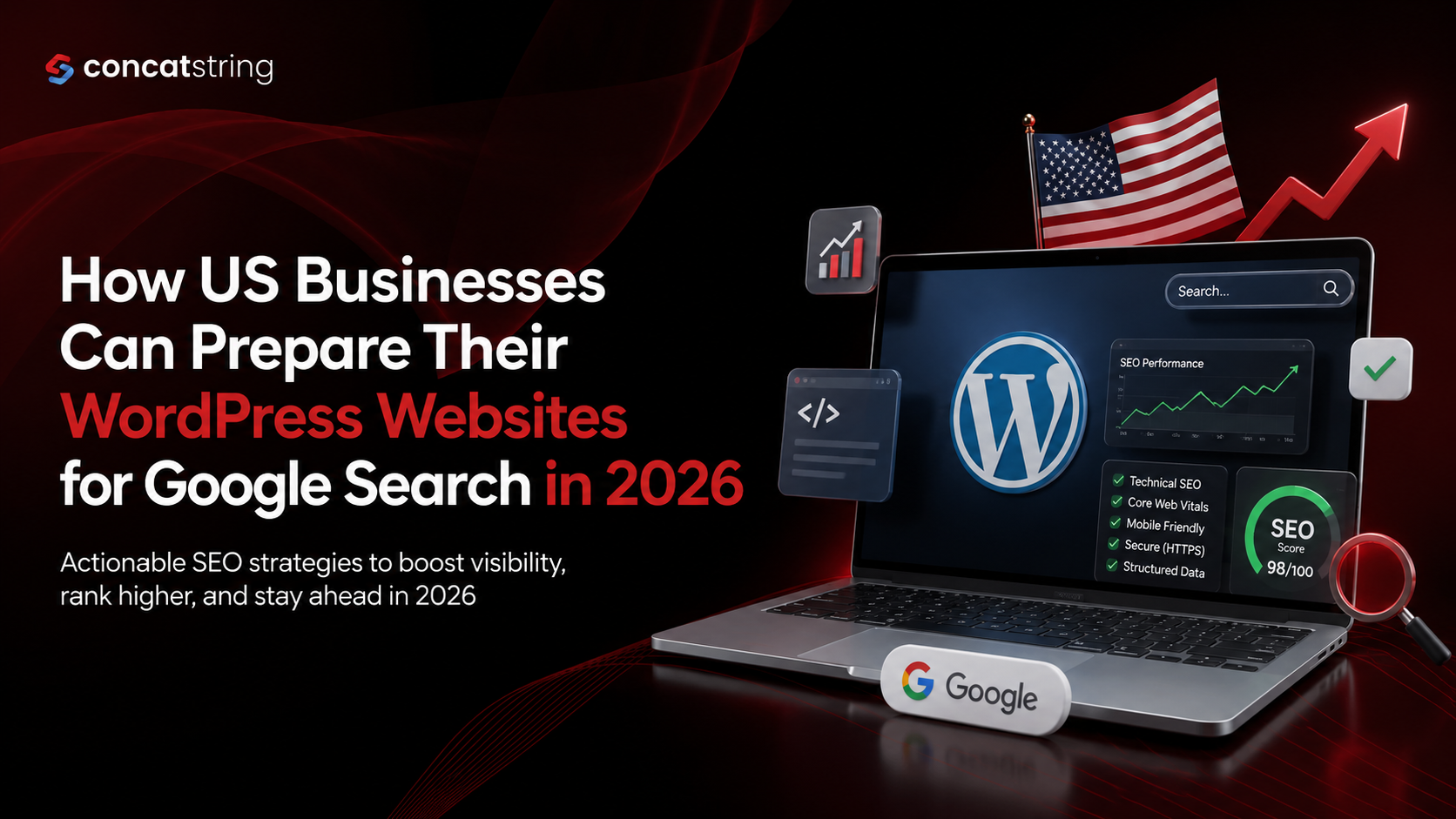
How US Businesses Can Prepare Their WordPress Websites for Google Search in 2026

Google Search is becoming more sophisticated, and US businesses can no longer rely on basic keyword optimization to maintain organic visibility. In 2026, successful WordPress SEO depends on a combination of technically accessible websites, helpful content, strong page experience, structured information, and content that can be understood across traditional and AI-powered search experiences. Google confirms that its AI features, including AI Overviews and AI Mode, continue to rely on foundational Search systems and SEO best practices. For businesses competing in crowded US markets, preparing a WordPress website for Google Search in 2026 means building a site that is useful to people first and easy for search engines to crawl, understand, and trust.
Table of Contents
Use AI to summarize this article
Why Google Search Is Changing for US Businesses in 2026
Search behavior has changed considerably over the last few years. People are no longer using Google only to find a list of blue links. Depending on the query, they may encounter AI-generated summaries, local results, videos, images, product information, business details, featured content, and traditional organic listings.
Google's current documentation makes an important point: businesses do not need a completely separate "AI SEO" system to appear in AI Overviews or AI Mode. The same fundamental SEO practices remain relevant because Google's generative search experiences are built on its existing Search systems. Pages still need to be accessible, indexable, useful, and eligible to appear in Google Search.
For a US business, this changes the SEO objective. The goal should not simply be to rank for one keyword. Your WordPress website should establish a clear relationship between your company, its services, locations, expertise, products, and customer questions.
A well-optimized website should make it easy for Google to understand what the business does, who it serves, where it operates, and why its content deserves to be considered.
What Does Google Want From a WordPress Website in 2026?
Google's Search Essentials emphasize several fundamentals: technically accessible pages, helpful and reliable people-first content, crawlable links, appropriate use of images and structured data, and compliance with Search spam policies.
For WordPress businesses, this means SEO should be treated as a complete website discipline rather than something handled exclusively through an SEO plugin.
A WordPress website can have excellent metadata and still struggle in Google if important pages are blocked from crawling, the website is slow, content is thin, internal links are weak, or users cannot easily find the information they need.
The strongest approach for 2026 is therefore to combine technical SEO, content quality, user experience, structured data, local relevance, and continuous measurement.
1. Start With a Complete WordPress Technical SEO Audit
Before publishing new content, US businesses should understand the current technical condition of their WordPress website.
A technical SEO audit should examine whether Google can crawl important pages, whether those pages can be indexed, whether canonical URLs are correctly configured, whether internal links work, whether redirects are appropriate, and whether important resources are accidentally blocked.
Google specifically recommends using tools such as URL Inspection and Search Console to understand how Google sees individual pages. It also recommends checking robots.txt and noindex directives when pages are not appearing in Search.
Check Indexing and Crawlability
Start by identifying the pages that generate business value. These might include service pages, product pages, location pages, category pages, case studies, and high-value educational resources.
Then verify that these pages are indexable.
A page can exist on WordPress and still be invisible in Google because of a noindex directive, an incorrect canonical tag, an accidental robots.txt restriction, poor internal linking, or other technical configuration problems.
Google recommends making sure Googlebot can access important pages and checking for unintended noindex rules when troubleshooting indexing.
Review Your XML Sitemap
An XML sitemap helps search engines discover important URLs on a website. WordPress websites should have a clean sitemap containing the URLs that businesses actually want search engines to discover.
Avoid allowing outdated, duplicate, irrelevant, or low-value URLs to dominate your sitemap.
After major website changes, migrations, URL restructuring, or large content updates, businesses should also review the sitemap and monitor indexing through Google Search Console.
2. Improve WordPress Website Speed and Core Web Vitals
Website performance remains an important part of preparing for Google Search.
Google's Core Web Vitals focus on loading performance, responsiveness, and visual stability. Its current guidance recommends aiming for an LCP of 2.5 seconds or less, an INP below 200 milliseconds, and a CLS below 0.1 for a good user experience.
These numbers should not be treated as a guarantee of rankings. Google explicitly explains that good Core Web Vitals alone do not guarantee top Search positions. Instead, they are part of providing a strong overall page experience.
For WordPress businesses, performance problems often come from oversized images, excessive plugins, inefficient themes, third-party scripts, poor hosting, unoptimized databases, and unnecessary JavaScript.
Optimize Images Before Uploading Them
Images are often one of the easiest places to find performance improvements.
Businesses should use appropriately sized images instead of uploading extremely large files and relying on the browser to resize them. Modern image formats can also reduce file sizes while maintaining visual quality.
Image optimization should not mean removing useful visuals. Product photography, team photos, project examples, diagrams, screenshots, and original graphics can all contribute to a better user experience when they are properly optimized.
Reduce Unnecessary WordPress Plugins
More plugins do not automatically mean better functionality.
Every plugin should have a clear purpose. Businesses should periodically review installed plugins and remove those that are unused, duplicated, outdated, or unnecessary.
The goal is not to achieve the smallest possible number of plugins. The goal is to maintain a reliable WordPress environment in which every significant component contributes value without creating unnecessary performance or security problems.
Use Reliable Hosting and Caching
Hosting infrastructure can have a significant effect on website responsiveness.
For businesses serving customers across the United States, hosting should be selected based on reliability, server performance, scalability, security, and support rather than price alone.
Caching and content delivery strategies can further improve performance by reducing the amount of work required to generate and deliver pages repeatedly.
3. Make Mobile Experience a Priority
US consumers increasingly interact with business websites from smartphones, and a WordPress website should be designed around a strong mobile experience rather than treating mobile as an afterthought.
Google's page experience guidance recommends that websites work well on mobile devices, remain secure, avoid intrusive interstitials, and make the primary content easy to distinguish.
For businesses, mobile optimization goes beyond responsive design.
A mobile visitor should be able to understand what the business offers, find important information, navigate the website, contact the company, request a quote, purchase a product, or complete another important action without unnecessary friction.
Improve Mobile Navigation
Menus should be simple and predictable.
A visitor looking for "Services," "Pricing," "Locations," "Contact," or "About" should not have to search through complicated navigation.
The same principle applies to calls to action. Buttons should be easy to see and tap, forms should be short where possible, and important contact information should not be buried.
4. Build Content Around Real Search Intent
One of the biggest opportunities for WordPress websites in 2026 is moving away from content created purely around keywords.
Google's guidance emphasizes people-first content that demonstrates expertise and provides genuine value to the intended audience.
Instead of asking, "How many times should we use this keyword?" businesses should ask, "What does someone searching for this topic actually need?"
For example, a US commercial roofing company could create content around questions such as what affects commercial roof replacement costs, how long different roofing systems last, when a roof needs replacement rather than repair, and what building owners should inspect before storm season.
Each article can then connect naturally to relevant service pages.
This creates a useful relationship between informational content and commercial intent.
Create Topic Clusters
A topic cluster organizes related content around an important business subject.
Suppose a company provides cybersecurity services for small businesses. Instead of publishing unrelated blog posts, it could build a central cybersecurity services page supported by articles covering phishing prevention, employee security training, ransomware protection, password policies, backup strategies, and incident response.
Internal links can connect these resources so that users and search engines can understand the relationship between them.
Google recommends making links crawlable so it can discover other pages on a website.
Add First-Hand Business Experience
Generic information is increasingly easy to produce.
What is harder to reproduce is genuine experience.
US businesses should therefore incorporate original examples, project outcomes, customer questions, implementation lessons, expert commentary, photographs, demonstrations, case studies, and proprietary insights wherever appropriate.
This is particularly important for competitive commercial topics where many websites provide nearly identical generic explanations.
Google's guidance on people-first content specifically encourages content that demonstrates first-hand expertise and depth of knowledge.
5. Optimize WordPress Content for AI Overviews and AI Mode
AI-powered Google Search is one of the most important considerations for WordPress SEO in 2026.
However, businesses should avoid treating AI search as an entirely separate optimization discipline.
Google states that the same foundational SEO practices remain relevant for AI Overviews and AI Mode. To be eligible as a supporting link, a page must be indexed and eligible to appear in Google Search with a snippet.
This means businesses should focus on making content clear, useful, original, well-organized, and technically accessible.
Answer Important Questions Clearly
AI-powered search experiences need information that can be understood and connected to a user's question.
WordPress content should therefore provide direct answers to important questions before expanding into deeper explanations.
For example, an article about commercial HVAC maintenance could begin a section by directly explaining what maintenance involves, followed by details about recommended inspection areas, warning signs, costs, and scheduling considerations.
This structure benefits users while also making important information easier for search systems to interpret.
Don't Create Mass AI-Generated Content
AI tools can help businesses research, organize, and improve content workflows, but publishing large volumes of low-value AI-generated pages is risky.
Google's guidance states that generative AI can be useful for research and adding structure to original content, but generating many pages without adding value may violate its spam policies concerning scaled content abuse.
The better approach is to use AI as an assistance tool while keeping human expertise, fact-checking, original insights, editing, and business experience at the center of the content process.
6. Use Structured Data Correctly
Structured data gives search engines additional information about the meaning and context of webpage content.
Google explains that structured data can help it understand a page and make the page eligible for certain rich-result appearances.
For WordPress businesses, structured data can be particularly useful when it accurately represents content such as articles, products, breadcrumbs, organizations, events, and other supported entities.
However, structured data should not be added simply because a plugin makes it available.
Keep Schema Accurate
The information represented in structured data should match what users can actually find on the page.
Google's structured data guidelines warn that misleading or inaccurate markup can make pages ineligible for rich-result features. Google also emphasizes that correctly implemented structured data does not guarantee that a rich result will appear.
Businesses should therefore treat schema as a way to clarify content rather than as a shortcut for achieving rankings.
7. Strengthen Local SEO for US Markets
For businesses serving specific cities, states, regions, or service areas, local SEO should be integrated into the WordPress strategy.
A local customer may search for a service using a city name, neighborhood, "near me," or a regional phrase. Your website should make geographic relevance clear without creating dozens of nearly identical location pages.
Location pages should provide genuinely useful information about the business's service area, customers, projects, availability, expertise, and local context.
For example, a law firm serving several cities should not simply duplicate the same page and replace the city name. Each location page should provide meaningful information that helps someone in that market.
Build Strong Local Business Signals
A local business website should clearly communicate its business name, services, service areas, contact information, and other relevant details.
Consistency across the website and external business profiles is also important for maintaining a clear digital identity.
For US businesses with physical locations, local landing pages can also support customers who are researching the company before visiting, calling, or making an appointment.
8. Improve Titles, Headings, URLs, and Internal Links
On-page SEO remains important in 2026.
Google's Search Essentials recommends using words people would use to search for your content and placing them in prominent locations such as page titles and main headings, as well as descriptive locations such as alt text and link text.
For WordPress websites, each important page should have a clear title that accurately describes its purpose.
Headings should organize the page logically rather than being used simply to insert additional keywords.
URLs should also be descriptive and understandable.
A URL describing a service or topic is generally more useful than a URL containing unnecessary parameters or confusing strings.
Internal links should use descriptive anchor text that helps users understand what they will find when they click.
9. Improve Website Trust and Security
SEO and website security should not be treated as separate priorities.
Google recommends secure websites using HTTPS, and a secure connection is also essential for protecting customers and business data.
WordPress businesses should keep WordPress core, themes, plugins, and other components updated.
This is particularly important because WordPress continues to release security updates. For example, WordPress 7.0.3 was released in August 2026 with security fixes, and the WordPress team recommended updating affected sites promptly.
Businesses should also maintain reliable backups and have a recovery process in place.
Security is not just about protecting rankings. A compromised website can damage customer trust, disrupt lead generation, expose sensitive information, and create expensive recovery work.
10. Improve E-E-A-T With Real Business Evidence
For competitive US markets, demonstrating experience and expertise can make content more valuable.
A business website should make it easy for visitors to understand who is behind the company and why they should trust its recommendations.
This can include detailed author information, professional credentials where relevant, case studies, customer experiences, original research, project examples, methodology explanations, and transparent business information.
The exact elements will vary by industry.
A financial services company, healthcare organization, law firm, construction company, SaaS provider, and ecommerce brand will not demonstrate expertise in exactly the same way.
The important principle is authenticity.
Businesses should demonstrate expertise through evidence rather than simply claiming to be "the best" or "industry-leading."
11. Use Search Console as an Ongoing SEO Management Tool
SEO should not end when a page is published.
Google Search Console provides businesses with valuable information about how their websites perform in Google Search, including search visibility and indexing-related information.
Businesses should regularly review performance trends and investigate meaningful changes rather than reacting to every small fluctuation.
Look for pages gaining impressions but receiving few clicks, pages losing organic traffic, queries where the website is becoming more visible, and content that consistently generates relevant business opportunities.
Monitor AI Search Visibility
Google introduced dedicated Search Console reporting for visibility from generative AI features, including AI Overviews and AI Mode. Google announced that these insights had rolled out worldwide by August 31, 2026.
This gives businesses another reason to monitor how their content performs as Google Search evolves.
Rather than focusing exclusively on traditional rankings, businesses should increasingly evaluate visibility, qualified organic traffic, engagement, leads, conversions, and brand discovery.
12. Refresh Existing WordPress Content
Creating new articles is not always the best SEO investment.
Many WordPress websites have older pages that already have backlinks, impressions, rankings, and historical authority but have become outdated.
Refreshing these pages can be highly valuable.
Businesses should review important content for outdated statistics, old product information, broken links, discontinued services, outdated screenshots, weak explanations, and missing sections.
Updates should be meaningful rather than simply changing the publication date.
The goal is to make the resource genuinely better for someone visiting it today.
13. Create Content That Serves Different Search Journeys
A successful WordPress SEO strategy should not focus exclusively on people who are ready to buy.
Different users enter Google at different stages of their decision-making process.
Someone might search for "what is managed IT support" before searching for "managed IT services for small businesses" and eventually "managed IT company in Dallas."
A strong website can address each stage.
Educational content can build awareness. Comparison and problem-solving content can support evaluation. Service pages can capture commercial intent. Case studies can provide proof. Contact and consultation pages can support conversion.
This creates a connected search journey rather than a collection of disconnected blog posts.
14. Prepare for Visual and Multimedia Search
Google Search increasingly includes different content formats, including images and videos.
Businesses should therefore think beyond text.
A WordPress website could include original product photographs, instructional videos, demonstrations, diagrams, before-and-after examples, project galleries, webinars, interviews, and other useful visual content.
The content should serve a real purpose rather than being added solely for SEO.
Images should have descriptive filenames and appropriate alt text where useful, while videos should have meaningful titles, descriptions, transcripts, and supporting context when applicable.
Google's current Search documentation includes dedicated guidance for images, videos, and other search appearances, reflecting the increasingly diverse nature of Search.
15. Build a 2026 WordPress SEO Workflow
The biggest mistake businesses can make is treating SEO as a one-time project.
A stronger approach is to establish a repeatable workflow.
Monthly SEO Checks
Each month, review Search Console performance, indexing issues, broken links, website speed trends, important keyword movements, organic traffic, conversions, and recently published content.
The objective is to identify meaningful problems and opportunities before they become larger issues.
Quarterly Content Reviews
Every quarter, review important pages and articles.
Ask whether the information is still accurate, whether competitors are providing better answers, whether the page matches current search intent, whether internal links are useful, and whether the page demonstrates enough original expertise.
Ongoing Technical Maintenance
WordPress core, plugins, themes, security controls, backups, performance configurations, and integrations should be maintained continuously.
Technical SEO is not something that can be "completed" permanently because websites, software, browsers, and search systems continue to change.
What Should US Businesses Prioritize First?
Businesses do not need to rebuild their entire WordPress website overnight.
A practical 2026 roadmap is to begin with the foundations.
First, make sure important pages can be crawled and indexed. Next, improve website security and Core Web Vitals. Then review mobile usability, site architecture, internal linking, titles, headings, and content quality.
Once those foundations are stable, businesses can expand topic clusters, strengthen local SEO, improve structured data, create original multimedia content, and develop stronger first-hand expertise across the website.
This approach is more sustainable than chasing every new SEO trend.
Common WordPress SEO Mistakes to Avoid in 2026
One common mistake is publishing large quantities of generic content simply because a keyword appears to have search volume. Search volume alone does not make a topic valuable to a business or its audience.
Another mistake is relying entirely on an SEO plugin. Plugins can simplify technical tasks, but they cannot automatically create expertise, original insights, useful customer experiences, or a strong website architecture.
Businesses should also avoid over-optimizing pages with repetitive keywords. Natural language and clear explanations are more useful than forcing the same phrase into every paragraph.
Ignoring technical maintenance is another serious problem. An outdated WordPress installation, vulnerable plugin, broken redirect, accidental noindex, or poor performance can undermine otherwise strong SEO work.
Finally, businesses should avoid treating AI search as a shortcut. Google's own guidance emphasizes that the fundamental SEO practices that support traditional Search remain relevant to generative AI features.
Conclusion
Preparing a WordPress website for Google Search in 2026 is less about finding a secret ranking tactic and more about building a website that consistently delivers useful information, strong experiences, clear business context, and technically accessible content.
For US businesses, the strongest strategy is to combine technical SEO with people-first content, fast and mobile-friendly experiences, accurate structured data, local relevance, genuine expertise, strong internal linking, and ongoing measurement through Google Search Console.
The rise of AI Overviews and AI Mode does not eliminate traditional SEO. Instead, it reinforces the importance of having content that Google can crawl, understand, trust, and connect with relevant searches. Google's latest guidance explicitly states that SEO remains foundational to success in its generative AI search experiences.
Businesses that invest in these fundamentals now will be better positioned to compete for organic visibility as Google Search continues to evolve throughout 2026 and beyond.
Ready to Prepare Your WordPress Website for Google Search?
If your WordPress website is struggling with organic visibility, technical SEO, website performance, outdated content, or changing search behavior, Concatstring can help you build a stronger search foundation.
From WordPress SEO audits and technical optimization to content strategy, performance improvements, local SEO, and ongoing search growth, the focus should be on creating a website that attracts the right visitors and turns organic visibility into meaningful business results.
Take the next step by reviewing your WordPress website for the technical, content, and user-experience improvements that can support sustainable Google Search growth in 2026.
FAQs