Table of Contents
Use AI to summarize this article
Why Redesigning Is Important for Your Website
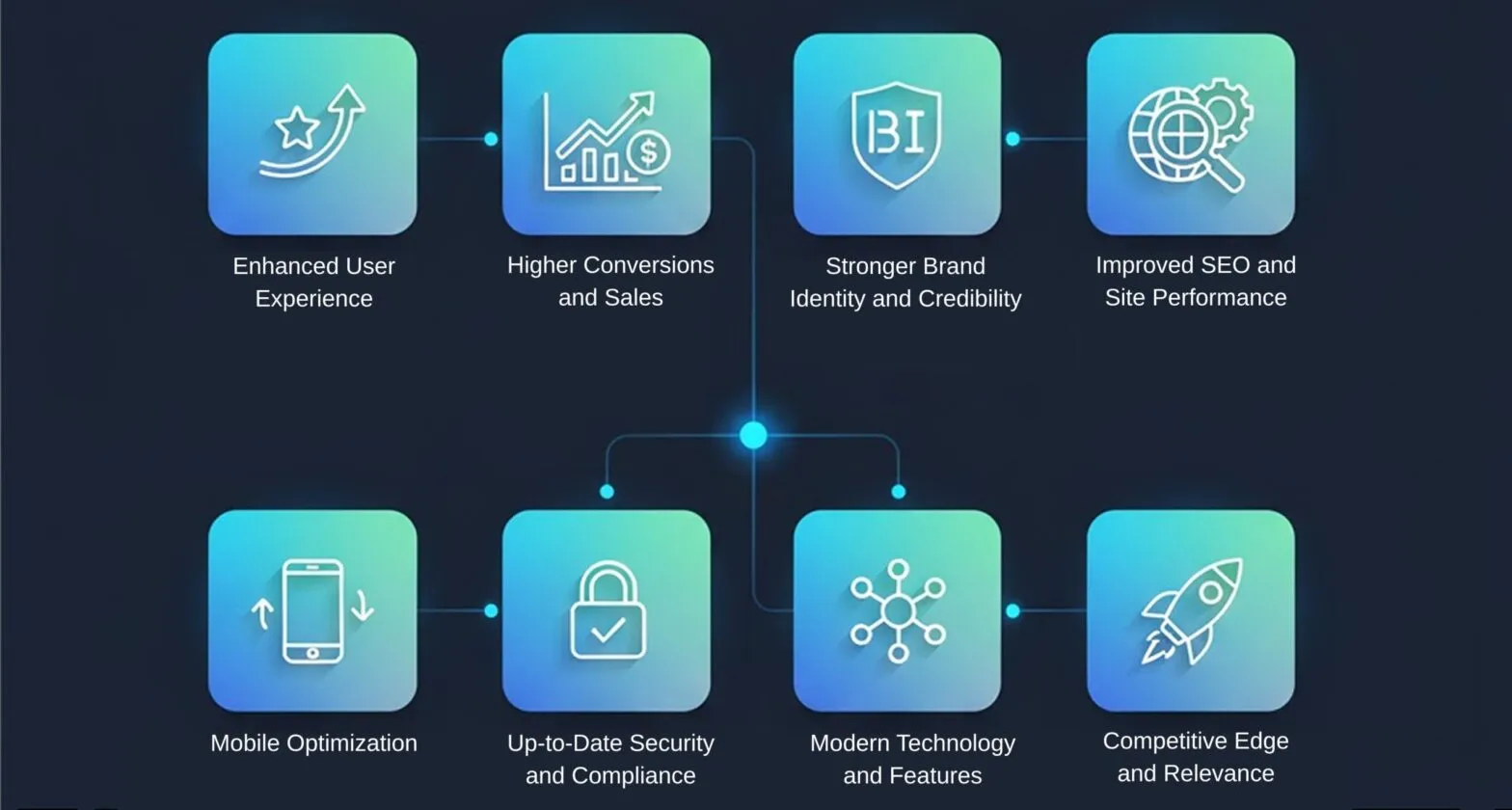
A well-timed redesign can bring many benefits. Here are eight key reasons why updating your website is important:
- Enhanced User Experience: User expectations change rapidly. A redesign lets you streamline navigation, improve layouts, and ensure the site is easy to use on any device. Positive UX leads to longer visits and higher engagement. In fact, a recent analysis found that a bad experience will drive away 88% of visitors, while a good mobile-responsive design can keep them coming back.
- Higher Conversions and Sales: Upgrading your design and calls to action can significantly boost conversions. Studies indicate that improving site speed and UX can double conversion rates in some cases. Clear, compelling CTAs and simple checkout or sign-up processes guide visitors to take action, turning more clicks into leads and sales.
- Stronger Brand Identity and Credibility: A fresh, modern design reinforces your brand image and builds trust. Web visitors form first impressions in seconds, and a dated site can make your business seem out of touch. By aligning visuals and messaging with your current brand, you strengthen recognition and authority. For example, refreshed branding on your site improves trust – one survey notes that as many as 75% of users judge a company’s credibility based on its website appearance.
- Improved SEO and Site Performance: Search engines favor sites that load quickly and are well-structured. A redesign is the perfect chance to optimize technical SEO elements like clean code, mobile-friendliness, and fast loading. Faster pages reduce bounce rates – every extra second of load time increases bounce probability by over 30%. By modernizing your site and integrating SEO best practices, you’ll boost rankings and attract more organic traffic.
- Mobile Optimization: With over 60% of web traffic coming from mobile devices, a responsive design is non-negotiable. A redesign ensures your site adapts to any screen size and performs well on smartphones and tablets. Mobile-first improvements not only enhance UX but also support SEO, as Google prioritizes mobile-friendly sites.
- Up-to-Date Security and Compliance: Cybersecurity threats are constantly evolving. Redesigning lets you implement the latest security protocols (HTTPS, SSL, secure payment gateways) and keep software and plugins current. A secure site protects user data and builds trust – Google even boosts rankings for HTTPS sites. Redesigning also ensures compliance with privacy regulations like GDPR and CCPA, safeguarding your business and customers.
- Modern Technology and Features: New design enables integration of cutting-edge features. You can add AI chatbots, advanced analytics, video content, or personalized user experiences that were not possible before. For example, about 73% of users now expect AI-driven chat support on websites. By embracing new technologies in a redesign, you future-proof your site and stay competitive as digital trends evolve.
- Competitive Edge and Relevance: Finally, redesigning keeps you ahead of the competition. A fresh design that incorporates the latest design trends and UX patterns shows customers you’re innovative. If competitors are upgrading their sites and you aren’t, you risk losing engagement and credibility. Staying current means continuously engaging users and preventing churn to more modern-looking rivals.
Figure: Analytics heatmaps can pinpoint where user engagement drops on an outdated design, guiding targeted improvements in navigation and layout.
When to Start Your Website Redesign
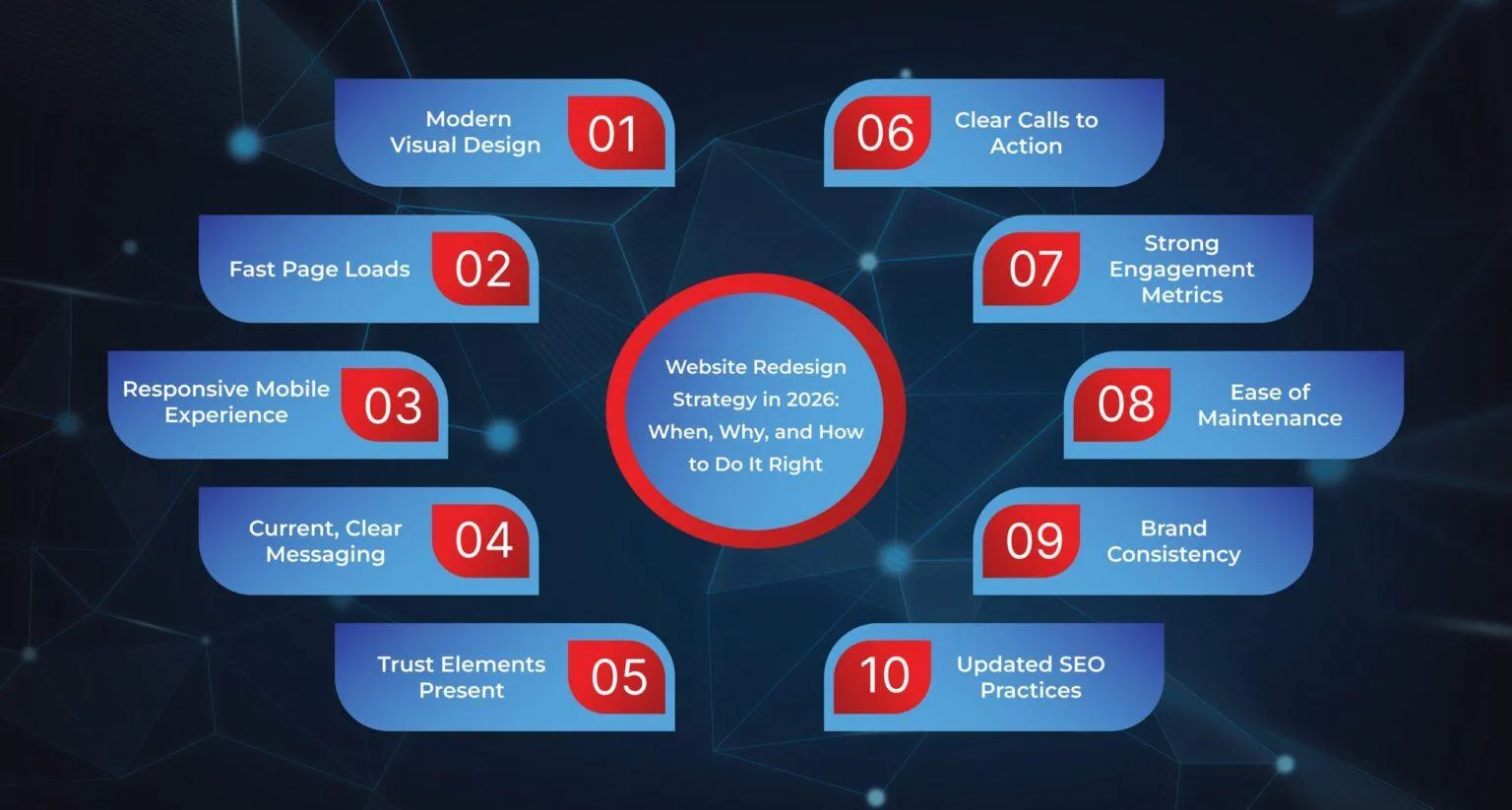
Knowing when to redesign is as crucial as why. A Website Redesign Checklist can help you evaluate if your site is due for an update. Score your site on the following 10 criteria – if more than 40% are lacking (i.e., you score under 60% overall), it’s time to start planning a redesign:
- Modern Visual Design: Your site should look fresh and polished. If the layout or graphics appear outdated, or if competitors’ sites look more professional, your brand may seem stale. Ideally, a redesign should incorporate clean, modern visual trends and align with your current brand identity.
- Fast Page Loads: Site speed should be a top priority. Aim for pages to load in under 2–3 seconds. Slower loads dramatically increase bounce rates (even a 1–3 second delay can spike bounce by ~32%). If your site feels sluggish or stalls, users will click away – redesign to optimize images, code, and hosting for speed.
- Responsive Mobile Experience: Check if your site is fully mobile-friendly. On mobile, menus should be easy to use, text readable, and images should scale correctly. If users encounter tiny text, hard-to-tap buttons, or broken layouts, you’re losing the majority of visitors. A modern redesign is built with a mobile-first design, so every element adapts smoothly to any device.
- Current, Clear Messaging: Your content should clearly communicate who you serve, what you offer, and why you’re unique. If your copy is outdated or confusing – for example, it references old products or uses stale language – users won’t understand your value. Evaluate all content: a well-designed site tells your story in a simple, compelling way that matches today’s offerings.
- Trust Elements Present: Modern sites include testimonials, case studies, customer logos, or portfolio images. If your site lacks social proof or “About Us” info, potential customers may doubt your credibility. A redesign is the perfect chance to integrate proof – real customer results, awards, or certifications – so that visitors immediately see you as trustworthy.
- Clear Calls to Action: Your pages should guide users toward the next step (e.g., “Contact Us,” “Buy Now,” “Get a Quote”). Review your pages: is the main CTA prominent and repeated as needed? If important buttons are buried or unclear, visitors won’t convert. In a redesign, refine page layouts and CTA design so that actions are unmissable.
- Strong Engagement Metrics: Check your analytics for warning signs. High bounce rates, short session durations, fewer conversions, or declining traffic all indicate problems. If key metrics have dropped or never met targets, an outdated design or UX is often the culprit. A redesign can rebuild the site experience to keep users longer and take action.
- Ease of Maintenance: Your content management system (CMS) should be easy to use. If simple edits like changing a headline, adding a page, or swapping images require a developer’s help, it’s inefficient. Slow site updates hurt your agility. A modern redesign should use a CMS with intuitive editing so your team can update the site without delays.
- Brand Consistency: As your business evolves, so does your brand. If you’ve changed your logo, colors, messaging, or product offerings, your website must reflect that. If the site still shows old branding, visitors may be confused. Your redesign checklist should ensure every page matches the current brand style to build trust from the first visit.
- Updated SEO Practices: Finally, examine SEO basics. Are page titles, headings, and alt text optimized? Have you lost search rankings recently? The SEO landscape changes quickly. An outdated site may lack important elements like schema markup or a mobile-friendly design. During a redesign, rebuild SEO foundations to protect and improve your search visibility.
If your website fails to meet these criteria, give it a score. Falling below roughly 60% overall should prompt immediate action – start planning a redesign now rather than later. A proactive update can reverse negative trends (like rising bounce rates) and prevent further erosion of traffic and engagement.
How to Start Your Website Redesign
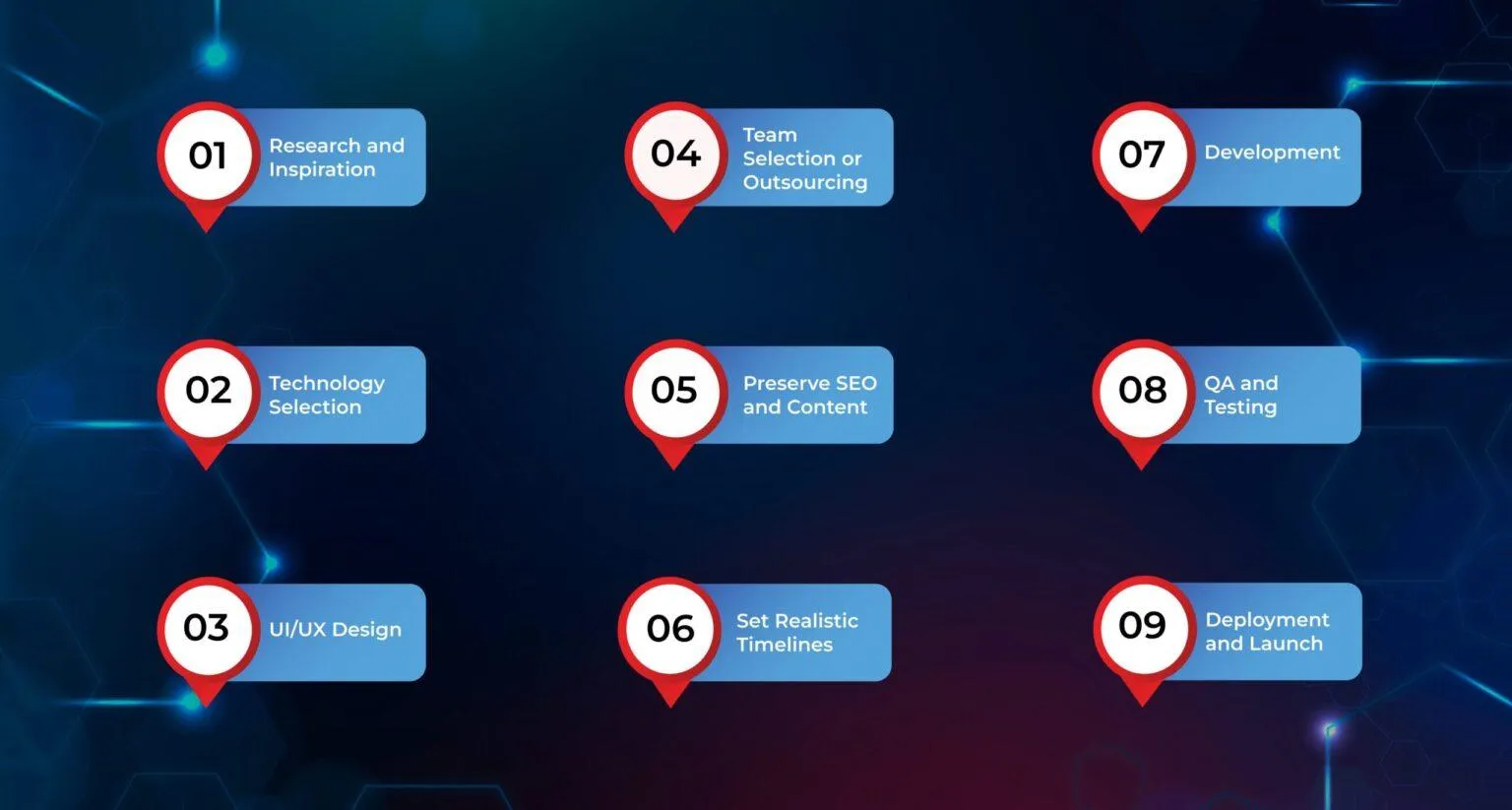
Ready to take action? You have two main paths: professional support or DIY planning.
End-to-End Redesign with Concatstring: If you prefer a turnkey solution, contact our team at Concatstring. We provide comprehensive redesign services from start to finish – including strategy, design, development, testing, and deployment. Our experts will ensure your project is handled smoothly, addressing every detail from UX to code optimization. Simply reach out to Concatstring, and we’ll manage the entire redesign process (0% to 100%) so you can focus on your business, confident that the technical work is done right.
DIY Redesign Steps: If you plan to manage the redesign yourself, follow a structured roadmap. Break the project into clear steps:
- Research and Inspiration: Analyze your industry and competitors. Gather design inspiration and identify what works well in your field. This will guide choices in layout, style, and features. Remember, industry context matters – what appeals to an e-commerce audience may differ from a corporate audience.
- Technology Selection: Choose a technology stack that fits your needs and traffic demands. Will you build on a CMS like WordPress, Drupal, or a headless CMS? Consider using modern frameworks or static site generators if performance is crucial. Ensure the platform can scale with your expected traffic and integrate any needed features (e.g., e-commerce, booking systems, CRM).
- UI/UX Design: Plan your site architecture and user interface. Create wireframes or mockups to map out page layouts, navigation, and user flows. Focus on usability: menus should be intuitive and pages should guide visitors toward key actions. Apply brand colors, fonts, and imagery consistently to strengthen identity.
- Team Selection or Outsourcing: Decide who will handle each part of the project. You may assign in-house staff (designers, developers) or hire external experts. If needed, find a reliable design or development agency (like Concatstring) for tasks beyond your team’s expertise. Make sure roles and responsibilities are clear, and establish communication channels for collaboration.
- Preserve SEO and Content: As you rebuild, keep your important pages and SEO intact. Use the same URLs and page titles when possible to avoid losing search rankings. If any URLs must change, plan 301 redirects to map old links to new pages. Audit your existing content – update it to match current products or services, while preserving valuable text to avoid losing keyword value.
- Set Realistic Timelines: Create a project schedule that includes clear milestones. Avoid rushing the process (which can lead to errors) but also guard against dragging it out. A typical mid-sized redesign may take a few months from planning to launch. Allocate time for design approvals, development sprints, content creation, and testing.
- Development: Build the website according to the designs. Code the templates, integrate the CMS or backend systems, and implement all required functionality (forms, shopping carts, etc.). Follow best practices for clean, efficient code. Throughout development, regularly check performance (page speed, mobile responsiveness) to ensure goals are being met.
- QA and Testing: Before launch, rigorously test the new site on different devices and browsers. Fix any bugs or usability issues. Test load times, forms, links, and especially redirect behavior to ensure no 404 errors. Also test on-page SEO elements (meta tags, header structure) to confirm they transferred correctly.
- Deployment and Launch: When everything looks good, deploy your site to the live server. Perform a final audit of the live site to ensure everything works. Monitor analytics closely in the days following launch to catch any unexpected issues. Announce the new site to your audience and promote the improvements (better design, features) on social media or email, making the redesign part of your marketing momentum.
By following these steps, you can manage a comprehensive redesign that modernizes your site while maintaining SEO value and business continuity.
Conclusion
In summary, a strategic website redesign in 2026 is more than a cosmetic update – it’s an investment in user experience, brand strength, and business growth. We’ve covered why redesigns matter (better UX, conversions, SEO, security, etc.), how to recognize the need (our 10-point checklist), and how to execute the project properly (whether by hiring experts or doing it in-house). The result is a site that loads faster, engages visitors, ranks higher in search, and fully reflects who your brand is today.
If you decide you need a team to make this happen, Concatstring is here to help. Beyond redesign projects, we also offer dedicated development teams. You can staff a Concatstring-managed team for your project and manage them on your side – giving you both expertise and control. Whether you want us to handle everything or provide skilled professionals to augment your staff, Concatstring delivers reliable support for your website development needs.
No matter your approach, the key is to act. Redesigning your website at the right time and the right way sets you up for long-term success, ensuring your online presence keeps pace with your business and with the web itself.