CS Revenue Insights – smarter woocommerce analytics

Understand Your Revenue. Grow Your Store.

Track sales performance, monitor key revenue metrics, and gain actionable insights to make better business decisions. CS Revenue Insights gives WooCommerce store owners a clear view of store performanceβ€”all from the WordPress dashboard.
No items found.

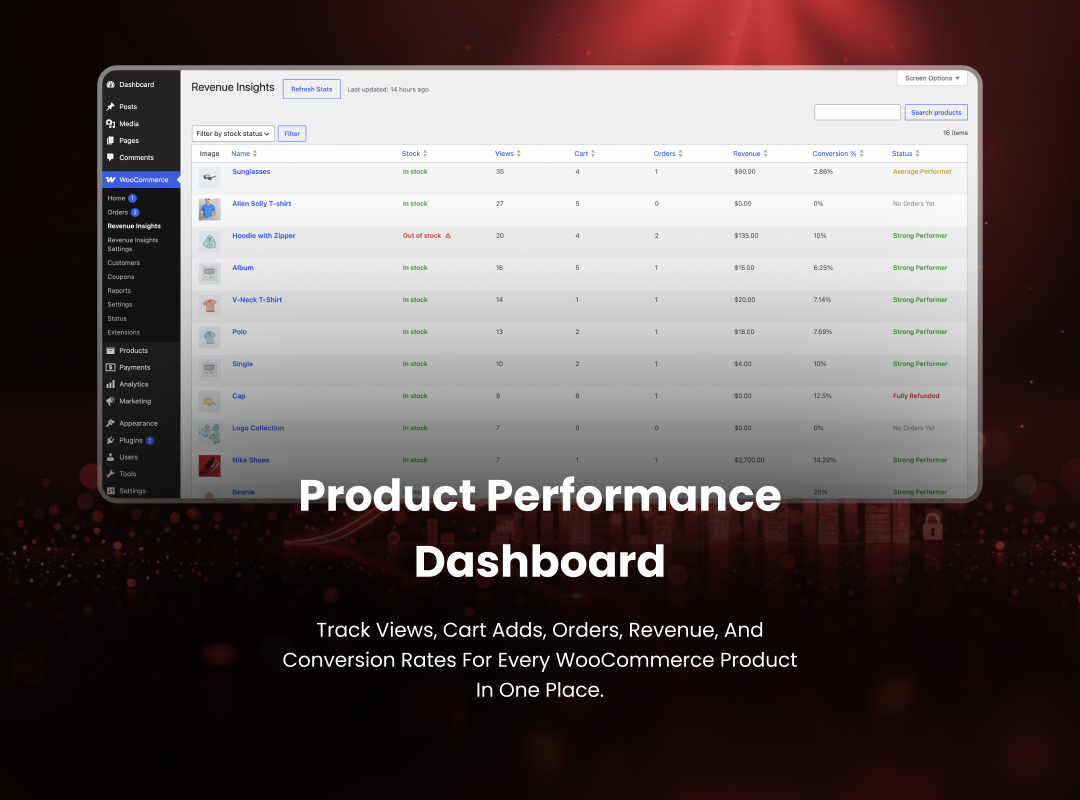
Concatstring Revenue Insights helps WooCommerce store owners understand product performance by tracking views, cart additions, and completed orders. Aggregated stats and performance labels help you spot underperforming products quickly.

Developed by Concatstring, a website development company specializing in WordPress and WooCommerce solutions.

Features

  • Unique product view tracking with configurable session duration
  • Automatic tracking of add-to-cart events and completed orders
  • Advanced date range filters: Today, Yesterday, Last 7 Days, Last 30 Days, This Month, Last Month, and Custom Range
  • Daily aggregation into per-product statistics
  • WooCommerce-style admin dashboard with search, sorting, pagination, and Screen Options
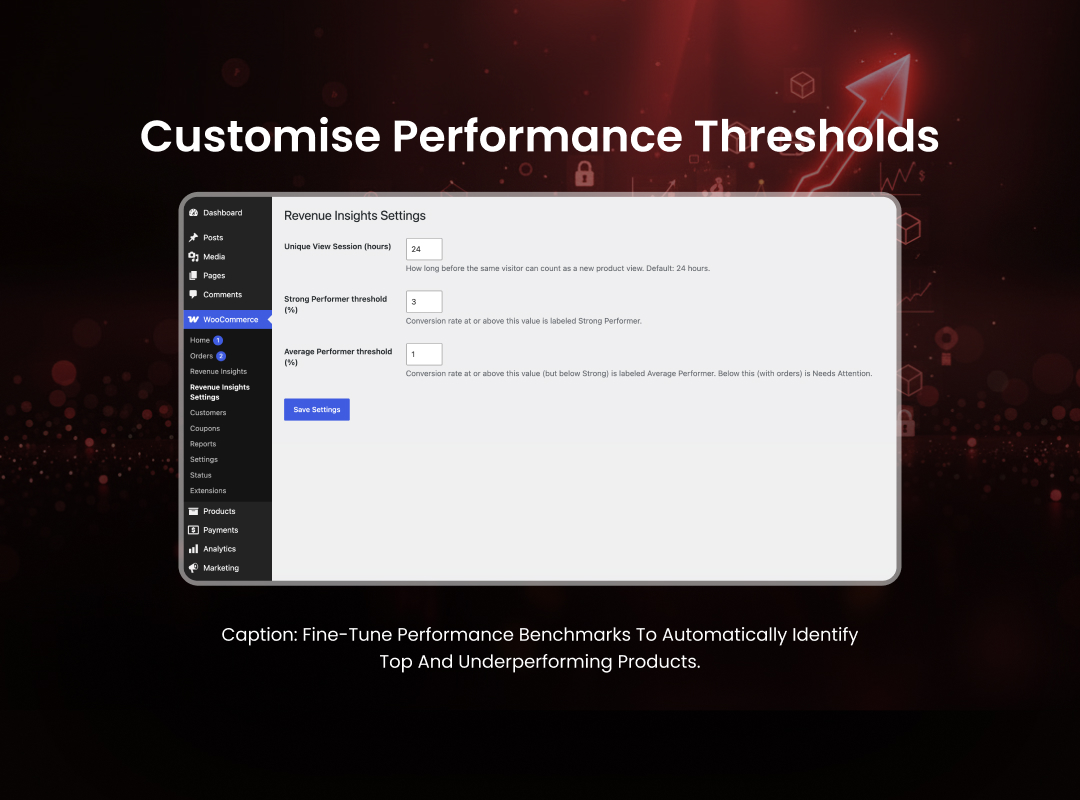
  • Configurable conversion thresholds and performance status labels
  • Multi-currency revenue support with per-currency breakdowns
  • Stock status column and low-stock alerts for strong performers
  • Weekly email summary sent to the site administrator

Requirements

  • WordPress 6.2 or higher
  • WooCommerce 7.0 or higher
  • PHP 7.4 or higher

Powerful features for peace of mind

We measure success by business impact, not just completed tasks.
  • Product view tracking Track unique product views with custom session durations.
  • Sales & conversion tracking Monitor add-to-cart events, orders, and conversions automatically.
  • Advanced date filters Analyze data by custom or predefined date ranges.
  • Product performance analytics View daily product performance and conversion insights.
  • WooCommerce dashboard Manage reports with a familiar WooCommerce-style interface.
  • Multi-currency support Track revenue across multiple currencies with ease.
  • Inventory insights Monitor stock levels and top-performing products.
  • Weekly email reports Receive automated performance summaries every week.

How it works

Simple, transparent process designed to deliver fast, scalable, and result-driven website development

01

Install plugin

Install and activate the plugin from WordPress

02

User registration

Customize tracking and reporting preferences.

03

Seamless login

View revenue insights and analytics in your dashboard.

Why choose CS Revenue insights?

Other analytics tools

  • Complex dashboards
  • Time-consuming reporting
  • Difficult to understand

CS revenue insights

  • Simple, intuitive dashboard
  • Actionable business insights
  • Quick access to key metrics

Reliable & secure by design

CS Revenue Insights is built using WordPress and WooCommerce best practices to ensure secure data handling, accurate reporting, and seamless performance. Your store data stays within your WordPress environment, giving you complete control over your business insights.

Note on Password Managers:Β If you have browser extensions installed likeZoho Auth, LastPass, 1Password, Bitwarden, or Dashlane, these tools may sometimes intercept or overwrite the native biometric popup windows.

100%

WooCommerce

Real-time

Revenue insights

0

External data storage

Fast

Lightweight performance