Table of Contents
Use AI to summarize this article
Key uses of AI in web development include:
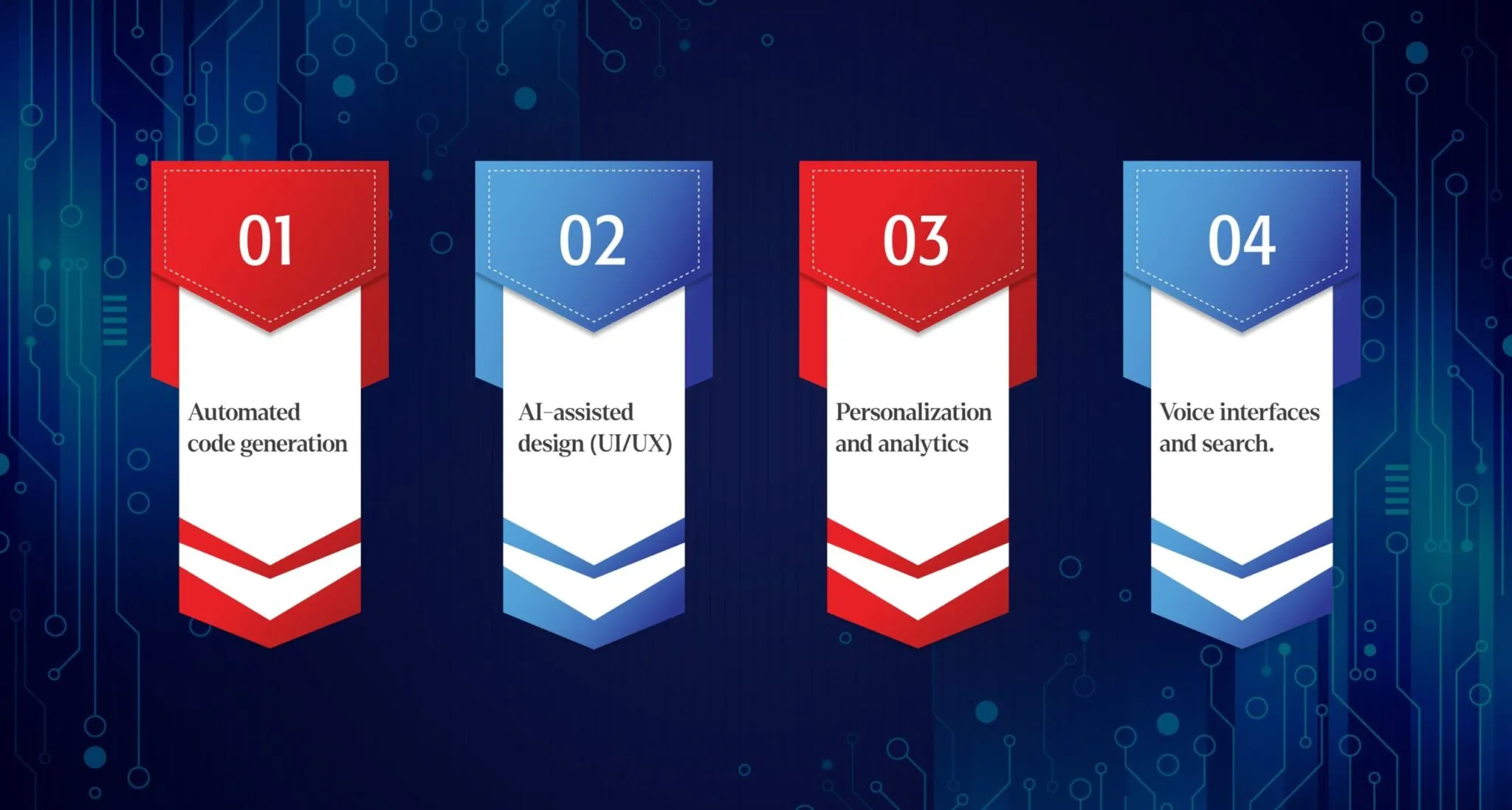
- Automated code generation. Tools like GitHub Copilot and Amazon Q can write code snippets or even entire functions from simple text prompts. This frees developers from repetitive boilerplate work and cuts development time dramatically.
- AI-assisted design (UI/UX). AI-powered design assistants such as Uizard or Figma’s new AI features can turn sketches or text descriptions into polished user interfaces. They analyze user behavior and automatically optimize layouts, ensuring accessible, personalized designs without months of manual tweaking.
- Personalization and analytics. Websites can use AI to analyze visitor data in real time and serve customized content, product recommendations, or page layouts. For instance, Netflix and Spotify famously leverage AI-driven recommendation engines to personalize what users see, boosting engagement.
- Voice interfaces and search. As voice assistants (Siri, Alexa, Google Assistant) grow, websites are being built or optimized for voice interactions. This “voice-first” trend means developers must design sites that understand speech and conversational queries.
Figure: Common uses of AI in web development, including code generation, UI/UX design, content creation, and analytics.
Across these areas, AI brings major improvements. With AI handling routine tasks, websites are built much faster. In fact, MindInventory notes that AI “automates code generation, testing, and deployment, significantly reducing development time”. AI also reduces human errors: automated testing tools (like Applitools or Testim) and AI-driven monitoring can catch bugs or security issues that manual QA might miss. And by crunching data on user behavior, AI creates more engaging user experiences – adaptive layouts and personalized content that fit each visitor’s preferences. In short, AI makes websites faster, smarter, and more user-friendly.
Figure: Benefits of AI in web development include faster creation, fewer errors, and richer personalization.
Real-World Case Studies: AI in Action
Startups are already feeling the impact. For example, the German AI startup nnamu used AWS’s new Amazon Q (a generative AI coding assistant) to migrate its legacy application to the cloud. By integrating Amazon Q into their dev workflow, nnamu slashed development time by about 30% and saw the AI write almost half of their code. The tool’s code suggestions had a 33% acceptance rate, but it generated 46% of the startup’s final code, significantly boosting productivity. The result? nnamu’s small team could move much faster, prototype new AI negotiation agents, and onboard new engineers more easily while maintaining high code quality.
Similarly, established tech companies are adopting AI assistants. Duolingo, the language-learning platform, reports a 25% increase in developer speed after adopting GitHub Copilot. Uber’s engineering leadership has also praised Copilot, noting it “boosts [s] overall developer productivity” by cutting time spent on boilerplate code. In practice, Copilot integrates into developers’ IDEs and suggests code in real time – from small snippets to full functions – so engineers can stay “in the flow” instead of getting bogged down with syntax. These examples show AI tools speeding up development across the board, whether for a two-person startup or a large enterprise.
Other companies use AI for performance and personalization. Retail and media giants like Amazon, Best Buy, and Netflix leverage AI for recommendations and dynamic pricing to improve user engagement and margins. In one case study, Walmart’s AI-driven personalization reportedly saves them over $1 billion a year by tailoring recommendations. And major streaming services like Netflix use AI not only for content suggestion but even for video compression and delivery optimization. On the voice side, brands are adding smart chatbots and voice search to their sites: for example, a retailer might integrate a 24/7 conversational assistant powered by AI (using frameworks like Dialogflow) to answer customer questions instantly, reducing support costs.
These real-world examples illustrate that AI can measurably improve website development and performance. Whether it’s accelerating coding (as with Amazon Q or Copilot), personalizing content (as Netflix and Spotify do), or enhancing UX (via smart designers and chatbots), AI is already transforming how sites are built and optimized.
Emerging Trends in AI Web Development
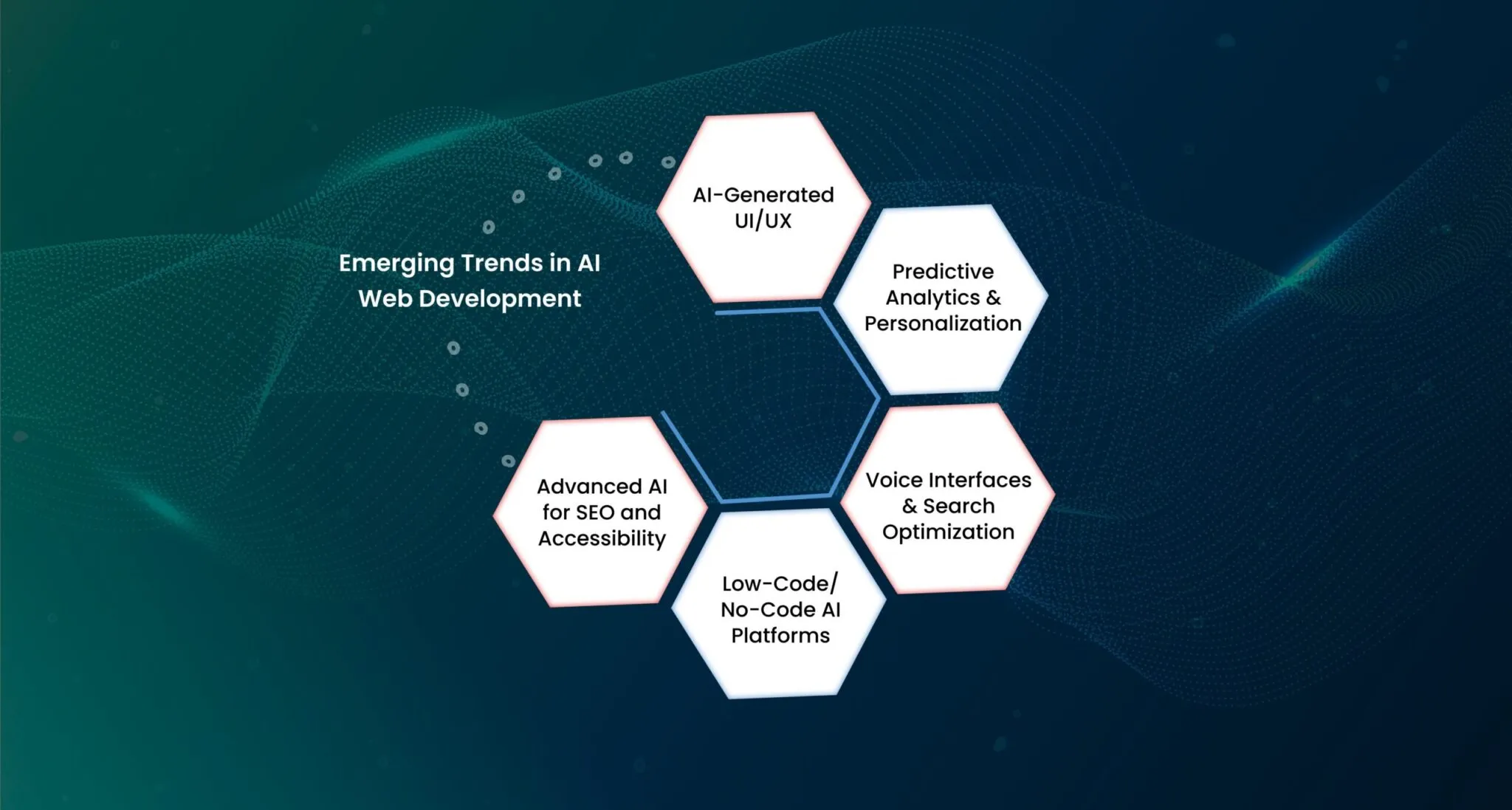
The field is evolving fast. Here are some key trends to watch:
- AI-Generated UI/UX. Design tools are getting “smarter.” Platforms like Uizard, Figma, and Bubble’s new AI page builder can turn text prompts or rough sketches into complete web interfaces. For instance, Bubble’s AI builder uses natural language (via ChatGPT) to generate app pages: you simply describe a page (“landing page with signup form”), and the AI creates a functional layout. This trend means non-designers can produce professional-looking sites quickly, and designers can iterate faster with AI-assisted mockups.
- Predictive Analytics & Personalization. Websites are becoming more predictive. By analyzing user data and behavior, AI can anticipate what visitors want and adjust content in real time. This goes beyond simple “most popular items” lists – modern AI engines track user journeys and tweak the site experience dynamically. MindInventory notes that AI enables “real-time personalization with adaptive layouts and tailored content for each user”. In practice, an e-commerce site might use AI to highlight products a returning visitor is likely to buy, or change navigation options based on which pages a user tends to browse. This level of personalization drives higher engagement and conversion rates.
- Voice Interfaces & Search Optimization. As more users speak to devices, websites need to respond. Voice search optimization is becoming crucial: sites are redesigned so voice queries (“What’s the best running shoe for me?”) return useful results, and voice assistants can even read or navigate web content aloud. The trend toward a “voice-first” web means web designers must ensure sites work well with AI assistants. Researchers advise that by 2025, voice assistants will handle a majority of search queries. In other words, if your website can’t be easily accessed via voice commands, you risk losing traffic.
- Low-Code/No-Code AI Platforms. AI is democratizing web dev. Tools like Wix ADI, Squarespace’s AI features, and Bubble allow entrepreneurs and small businesses to build sites without writing code. You answer a few questions or write natural-language prompts, and the platform does the rest. According to one source, AI-driven no-code platforms let “even those without development capabilities … create a functional website with drag-and-drop”. This trend makes web development accessible to people who may not know HTML or JavaScript at all. For example, a local shop owner can have a polished online store launched in minutes by an AI site builder, saving on developer costs.
- Advanced AI for SEO and Accessibility. AI is also shaping how sites are found and accessed. New tools automatically optimize content for search engines by suggesting keywords and improving metadata. Some startups use AI to rewrite content in multiple languages or generate alt-text for images, improving accessibility. We’re also seeing AI algorithms ensuring compliance with accessibility standards (like WCAG) by analyzing layouts for color contrast or screen-reader friendliness.
In summary, AI-generated design, predictive personalization, and voice-driven interfaces are some of the hottest trends in web development today. As one source puts it, AI in web dev is no longer limited to chatbots – it’s embedded in coding, design, testing, analytics, and more. Startups and tech giants alike are racing to adopt these capabilities and stay competitive in the digital marketplace.
Startups vs. Enterprises: Different AI Strategies
Small startups and large enterprises both use AI, but their approaches often differ. Generally, startups have limited budgets and need speed. They tend to rely on off-the-shelf AI services and cloud platforms (like AWS, Google Cloud, Azure) to build quickly. For example, AWS reports that “96% of AI/ML unicorns run on AWS” and use generative AI to improve customer experience and efficiency. A startup might plug into an existing AI chatbot API or use an AI builder (like Bubble) rather than build a custom model from scratch. Many early-stage companies use popular AI APIs (OpenAI’s GPT, Amazon Bedrock, or Google’s Vertex AI) to add intelligence without heavy R&D. This lets them innovate rapidly – e.g. a tiny SaaS might use a GPT-4 integration to auto-fill user forms or summarize feedback.
In contrast, large businesses and enterprises often have the scale (and data) to invest in custom AI solutions. They may maintain in-house data science teams and integrate AI across multiple business units. For example, a major retailer might use its own recommendation engine trained on years of purchase data, while a startup might just embed Amazon Personalize. Enterprises are also more likely to focus on security, compliance, and unique AI use cases (like predictive maintenance on the supply chain). That said, even big companies frequently use the same tools as startups: Microsoft, Uber, and Costco all use GitHub Copilot to speed development. The difference is often scope – an enterprise might automate tens of thousands of webpages with AI-driven A/B testing, whereas a startup automates a single landing page.
Ultimately, both startups and large firms see the payoff. A recent McKinsey survey found 65% of organizations now use generative AI in at least one function. For startups, the agility of AI levels the playing field (even a two-person team can deploy AI features). For enterprises, AI can magnify existing capabilities (e.g. a huge ecommerce site can personalize millions of user experiences simultaneously). Both sides will continue to experiment: startups using AI to grow fast with less headcount, and enterprises using AI to streamline vast operations.
Key AI Development Tools Compared
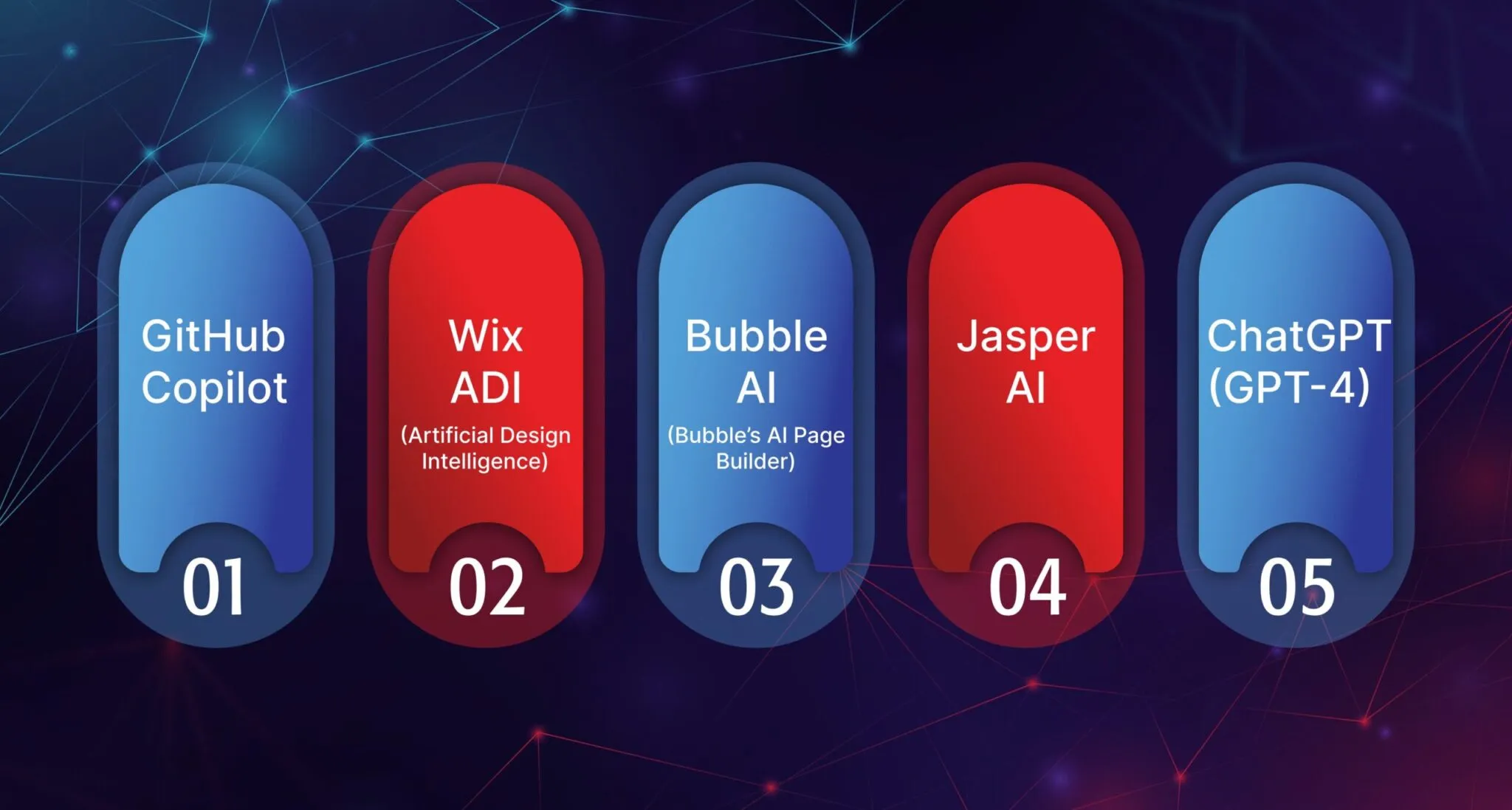
There are many AI tools and platforms aimed at website creation and development. Below we highlight a few leading ones, including their key features, pricing, and ideal use cases:
- GitHub Copilot – An AI pair programmer that integrates into IDEs (VS Code, JetBrains, etc.). It suggests whole lines or functions as you code, based on context. Copilot excels at speeding up software development and helping both beginners and experts avoid repetitive coding. (Pricing: From $10/user/mo for individuals; $19/user/mo for teams. The Enterprise tier with security features is $39/user/mo.) Best for professional developers who want AI assistance on writing code.
- Wix ADI (Artificial Design Intelligence) – A drag-and-drop website builder from Wix. ADI asks simple questions about your business and style preferences, then generates a fully functioning website (with text, images, and structure) in minutes. It also includes AI content tools (like automated product descriptions and blog text). ADI is incredibly user-friendly and requires no coding knowledge. (Pricing: Wix offers a free basic plan; premium plans start at about $16/mo (Light) and go up from there.) Best for entrepreneurs and small businesses who want a professional site up quickly without a developer.
- Bubble AI (Bubble’s AI Page Builder) – A no-code app and website builder with new AI features. Bubble’s AI page builder lets you describe in plain English the page you want, and it auto-generates a working app page. It uses models like ChatGPT for the logic and MidJourney for design elements. The result is that even non-technical founders can prototype complex web apps. (Pricing: Bubble has a Free tier (with Bubble branding and limited capacity), and paid plans starting around $32/mo (Starter) up to $399/mo (Team) or custom enterprise plans.) Best for startups or internal projects that need to build database-driven web apps quickly without code.
- Jasper AI – An AI writing assistant used for creating website content. It can generate marketing copy, blog posts, product descriptions, and more based on your prompts. Jasper excels at maintaining brand voice, multilingual content, and SEO optimization. (Pricing: Plans start at about $39/user/mo for the basic Creator tier, $59/mo for the Pro tier.) Best for content marketers, bloggers, and eCommerce managers who want to scale content creation.
- ChatGPT (GPT-4) – Though not a website builder per se, ChatGPT (by OpenAI) is a versatile AI assistant. Web teams use it for drafting text, brainstorming features, generating code snippets, or even designing page layouts from descriptions. For example, you might ask ChatGPT to write HTML/CSS code for a navigation bar, or draft an SEO-friendly product description. (Pricing: Free access with GPT-3.5; $20/mo for ChatGPT Plus with GPT-4.) Best for general-purpose assistance across design, coding, and content.
- Other Tools: There are many others worth noting. For visual design, Uizard can transform your wireframes into real UI, and Figma has introduced AI plugins to automate design tasks. For testing and analytics, tools like Testim, Applitools, or Dynatrace use AI to detect bugs and performance issues. For SEO, Surfer SEO and SEMrush include AI features for keyword research and content optimization.
Tool/Platform Key Features Starting Price Best For
Each of these platforms has its strengths. For code development, GitHub Copilot stands out – Duolingo’s engineers boosted their speed by 25% using it. For site creation, Wix ADI shines with ease-of-use, whereas Bubble is ideal for database-driven apps without coding. For content, Jasper (and ChatGPT) allow teams to turn a simple prompt into polished copy. In many cases, businesses use a combination (e.g. developers use Copilot for coding, while marketers use Jasper for content on the same project). The pricing also varies: note that Copilot and ChatGPT offer very affordable entry plans ($10–20/mo), making them accessible even to individual developers, while enterprise-grade plans (Bubble Team, Copilot Enterprise) cost hundreds per month for bigger teams.
Ready to Build Smarter Websites?
If all this talk of AI has you excited, you’re not alone. The web development landscape is clearly shifting toward AI-enhanced workflows and smarter sites. Concatstring specializes in integrating these cutting-edge AI capabilities into real-world projects. Whether you’re a startup needing an MVP built lightning-fast or a large company seeking to modernize your web presence, our team can advise on the right AI tools and implement them seamlessly.
Imagine having your website not only built faster and cheaper, but also continuously improving itself through AI. We can help make that a reality. Contact Concatstring today to discuss how AI (from Copilot coding assistants to AI-generated content and design) can be woven into your next web project. Let’s harness the power of AI together to give your online presence a competitive edge.